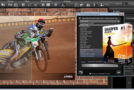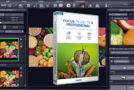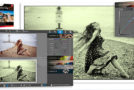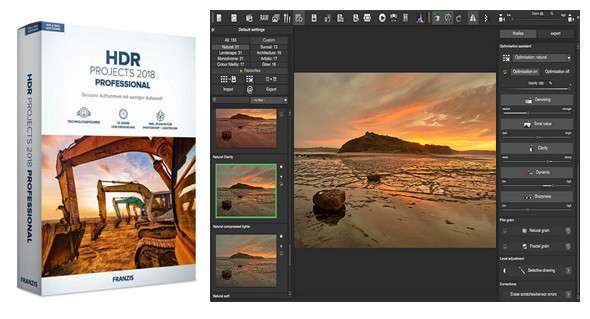
HDR Projects 2018 handles the most technical aspects of your recordings and does almost all the work itself. Enjoy several advantages: reduce overall effort, edit your images without having to use a single slider, and always create images with unprecedented brilliance.
– Works with bracketing and still images
– Better image quality: clean HDR images without noise
– New: now even sharper and still colorfast!
– Simplest operation: standalone, plug-in filter
– 4K interface, GPS
Relaxed photography: perfectly exposed images in all situations!
HDR has always been the hallmark of truly special photos, and now it's even easier to achieve your favorite results. The key lies in the newly integrated Personal Picture Styles. You can tailor your edits more precisely to your taste, avoid any unpleasant surprises, and quickly achieve excellent results. Optimizing images has never been so simple!
– NEW: Personal image styles for fast results
– NEW: automatically removes color casts when loading image files
– NEW: Integrated printing function
– NEW: innovative texturing tool
– NEW: Magnifying glass comparison function for more precise image analysis
– Transfer between the original image and HDR
– Better image quality: clean HDR images without noise
– Save time: guaranteed quick success!
– Stand-alone, plug-in filter, 4K interface, GPS
Then the professional version of HDRprojects 2018 is exactly what you need:
– Complete RAW module with all the editing functions of a professional RAW converter
– Batch processing for the simultaneous development of dozens of HDR photos
– Variant browser for direct comparison of multiple presets
– Support for D65 color spaces, equivalent to standard daylight in the northern midday sky and guaranteed extremely fast daylight shooting.
– Display of the point of interest for fast and resource-saving image analysis and calculation
– HDR algorithm browser for easy selection of the correct HDR algorithm
– Export Exposure Series: create a bracketing series from a JPG or RAW file that you can edit in another program.
– Photoshop filter plug-in for easy integration into your usual workflow
HDR is better than any camera sensor!
You're photographing a scene and wondering if the image on the monitor looks different, boring. HDR technology helps you out of this predicament! Take multiple photos with different exposures—no tripod required! Or—even easier—use a single image. Load your images into HDR projects and let the program stitch them together.
Finally, clean up the HDR images
The leader in HDR technology is taking things a step further. For the first time, an HDR program with Smart Detail Enhancement (SDE) is working. This intelligent detail enhancement detects noise or other image disturbances within the image. And precisely this noise information is then excluded from the detail enhancement – the actual HDR process. This only strengthens the image information that deserves it. Dirty HDR images are a thing of the past!
Includes the Photoshop filter plug-in
Many paths lead to professional HDR 2018 projects, now also seamlessly integrated into Adobe® Lightroom! A new, comprehensive filtering plug-in for Adobe® Lightroom and Photoshop offers maximum convenience for your personal workflow. Simply select the desired image series or individual images from your Lightroom image database, export them to professional HDR 2018 projects, edit, and then reposition the resulting image within the database.
Composer: a highlight with new features
The compositing feature, one of the strengths of the HDR project family, has been further enhanced in the 2018 version. You now have the ability to add editable textures to parts of the image. The result is even more spectacular image prints and even more creative possibilities for image manipulation.
NEW: Image Styles More personality in your image selection
Everyone has their own style, preferences, and individual no-gos. The new Picture Styles in HDR Projects 2018 will help you live out your preferences. You choose your favorite style from five photo styles or moods, and HDR Projects 2018 then applies this information to all built-in Picture Presets.
Your advantage: All the sample images are aligned according to your personal preferences, you get many more sample images to see that they will really like.
New: prevent color dominance even at the beginning
With HDR projects 2018 professional, they have 10 years of HDR expertise at their fingertips and benefit from technological advancements. For example, even subtle color casts that only attract experienced eyes are a thing of the past. Newly developed algorithms ensure that existing color casts are automatically corrected in the image.
Configuration:
– Windows (x32/x64 Bits): 7, 8, 8.1, 10
– Processor: 1 GHz
– RAM: 512 MB
– Disk space: 300 MB
Language Multilingual (including French)
Size : 283.0 MB
This article was updated on November 10, 2017