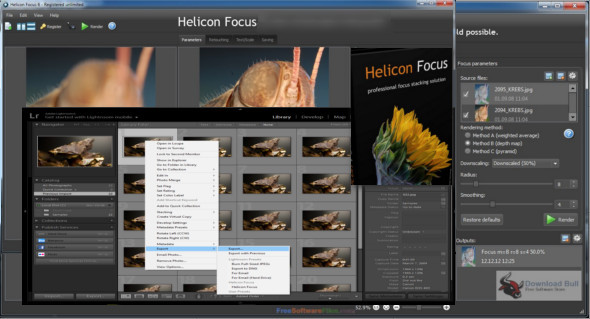
Helicon Focus Pro is a reliable application for improving photo sharpness using many other powerful tools. With its intuitive user interface, it provides a user-friendly environment for new users. You can also use Focus Magic.
Helicon Focus Pro provides a powerful environment for enhancing image sharpness by merging and exporting images as animations or 3D models. It's a professional environment for creating macro shots and increasing depth of field.
Helicon Focus Professional software provides a technique for capturing multiple images and stacking them, as well as for assembling and interfering with focused areas. Before presenting images, Helicon Focus allows you to retouch photos by brushing and adjusting hardness and color tolerance. Overall, it's a reliable application for enhancing images by combining them and exporting them as 3D models or animations.
Features of Helicon Focus Pro
– Improve image focus by merging them
– Macro photography and extending the depth of field in shots
– Superimposing and adding images and stacks on top of each other
– Easily mix photos and enhance images
– Displays a complete image structure
– Use a brush to enhance the images and clone or paint them
– Adjust brush size, hardness, brightness, and color tolerance
– Export images as 3D models or animations
Version : Pro 8.1.0 /Portable: Pro 8.0.2
Language : Multilingual (French included)
Size : 133.38 MB / Portable 168.25 MB
Configuration:
– Windows (x64 Bits): 7, 8, 8.1, 10, 11
Helicon Focus Pro 8.1.0
Helicon Focus Pro Portable 8.0.2
This article was updated on April 6, 2022