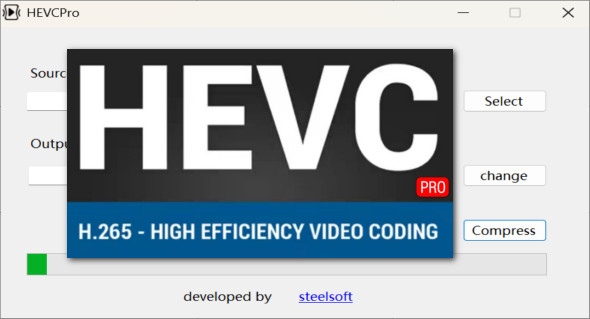
HEVC Pro is a reference software that allows you to encode and decode videos in HEVC (H.265) format, a modern standard that offers superior compression to H.264.
With HEVC Pro, it's possible to reduce video file sizes by up to 50% while maintaining optimal quality, even in high definition or ultra-high definition (4K and 8K). Whether for storage, streaming, or video editing, this software offers unparalleled performance.
Why choose HEVC Pro?
HEVC Pro stands out for its compression efficiency, broad compatibility, and speed. It allows you to:
- Reduce video file size without any visible loss of quality
- Accelerate encoding and decoding through hardware acceleration
- Improve video compatibility with streaming platforms and media players
- Save storage space on hard drives and servers
- Easily convert videos to HEVC format
Thanks to these features, HEVC Pro is ideal for content creators, video editing professionals, and enthusiasts looking to optimize their media library. You can also use GiliSoft Video Converter.
The main features of HEVC Pro
1. Advanced video compression with HEVC (H.265)
HEVC Pro leverages the latest technologies to deliver efficient compression with no noticeable loss of quality. Unlike the H.264 codec, which requires more bandwidth, HEVC reduces file sizes by half while maintaining excellent resolution.
It supports resolutions up to 8K, allowing users to store and stream very high-quality videos with minimal storage space.
2. Smooth and fast decoding of HEVC videos
One of the challenges of HEVC is the computing power required to read the files. HEVC Pro incorporates advanced hardware acceleration, ensuring fast and smooth decoding on all types of devices.
The software ensures compatibility with the majority of media players and streaming platforms, allowing for smooth playback, even for high-resolution videos.
3. Hardware acceleration for optimized encoding
HEVC Pro supports hardware acceleration technologies from leading CPU and graphics card manufacturers, including NVIDIA, Intel Quick Sync, and AMD. This optimizes performance and reduces encoding time, a major advantage for video professionals.
With hardware acceleration, file processing becomes much faster, which is essential for content creators who need to export videos regularly.
4. Intuitive and customizable interface
HEVC Pro is designed to be accessible to beginners while offering advanced options for experts. Its simple and user-friendly interface allows you to:
- Quickly import videos to convert
- Easily adjust compression settings
- Choose between different encoding profiles adapted to each use case
In addition, customization options allow you to adjust the output quality, bitrate, and compression settings as needed.
5. Compatibility with multiple formats and platforms
HEVC Pro supports a wide range of input and output video formats, ensuring optimal compatibility with media players, streaming platforms, and mobile devices.
- Supports MP4, MKV, MOV, AVI formats and more
- File optimization for YouTube, Netflix, Vimeo and other streaming services
- Smooth playback on smartphones, tablets, computers and Smart TVs
This extensive compatibility makes it an essential tool for anyone who wants to efficiently manage their video files.
Why is HEVC Pro an essential tool?
Compared to other solutions, HEVC Pro stands out thanks to:
- More effective compressionallowing for a significant reduction in file size
- Advanced hardware accelerationensuring fast encoding and decoding
- Wide compatibilitymaking the files readable on as many devices and platforms as possible
It is particularly useful for:
- Video editors who are looking to optimize their files without sacrificing quality
- Content creators who distribute their videos on platforms requiring optimized files
- Film enthusiasts who want to store their videos in high definition while saving space
In conclusion, HEVC Pro is the perfect tool for anyone who wants to work with HEVC (H.265) files without compromising on quality. Thanks to its advanced compression engine, fast decoding, and intuitive interface, it allows you to reduce video size while maintaining exceptional image quality.
Version : 2.0.0 Pro
Language : English
Size : 407.55 MB
Configuration:
– Windows (x32/x64 Bits): 7, 8, 10, 11
Download HEVC Pro v2.0.0 Pre-activated
This article was last updated on April 7, 2025