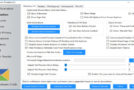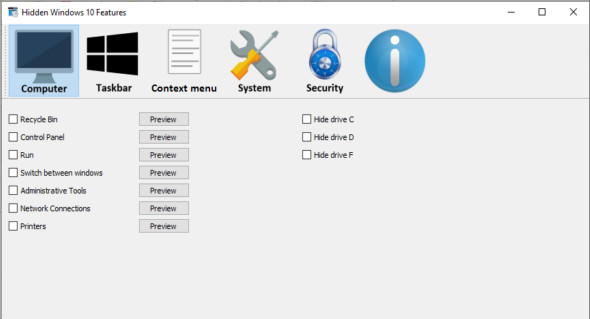
Windows 10 has many useful hidden features. These features can be enabled by modifying the Windows Registry, and manually editing the Windows Registry is a lengthy and not-so-easy process. With "Hidden Windows 10 Features," these hidden features become available with a single click and with ease. It also introduces a new feature that allows you to export and import settings to another computer. It can also be used as a backup when modifying settings.
Hidden Windows 10 Features This allows you to add items such as the Recycle Bin, Control Panel, Administrative Tools, and Printers to this computer. The context menu can be expanded to include items copied, moved to, and opened with Notepad for all files. It also includes features to enhance Windows security by disabling AutoPlay, disabling the Windows Script Host, and enabling secure login with Ctrl+Alt+Delete.
Hidden Windows 10 Features It can revert certain Windows 7 features such as restoring the previous volume control and Calculator, and can also hide/remove current Windows 10 features like hiding the Action Center, removing OneDrive from File Explorer, and disabling Cortana. Other features include disabling Aero Shake, adding the GodMode folder to the desktop, and stopping Windows from adding "- Shortcut" to shortcut filenames. All these features and many more are available with Hidden Windows 10 Features.
Version : 1.0.0
Language : English
Size : 17.75 MB
Configuration:
– Windows (x32/x64 Bits): 10
– Processor: 1 GHz
– RAM: 1 GB
Hidden Windows 10 Features 1.0.0
This article was updated on January 24, 2020