Windows 10 Threshold 2
Released in late July 2015, Windows 10 introduced a new type of update. Microsoft no longer wanted to evolve its system through Service Packs and multiple versions, but simply through cumulative updates via Windows Update.
Windows 10 Threshold 2 corresponds to the cumulative security and feature updates released in August, September, and October. To make matters more confusing, this November 2015 Threshold 2 update is identified by version number 10586 or version 1511 (while the base Windows 10 version is 10240).
The upgrade to Windows 10 Threshold 2 is free and is done automatically on computers via Windows Update.
New features in Windows 10 Threshold 2
Material
- Possibility ofinstall applications on an external drive (USB flash drive or SD/MicroSD card, useful for tablets).
- Technology support Intel Speed Shift Skylake processors.
- Fixed bug with DTS audio cards.
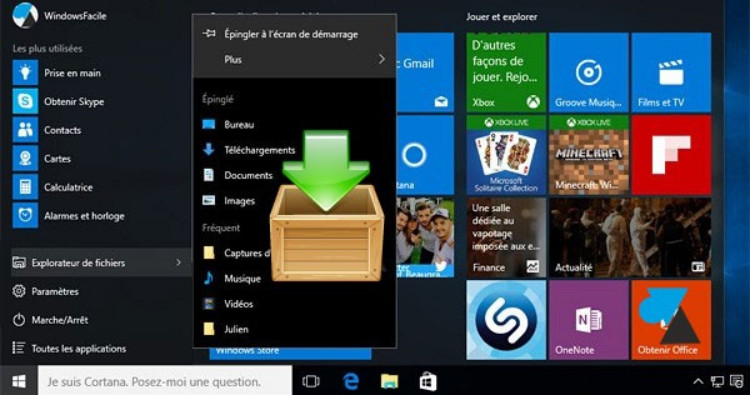
New graphics and Start menu
- The old configuration menus receive new, more modern icons: Control Panel, Printers, etc.
- Right-clicking the Start menu displays a menu with a dark gray background rather than white. However, the options offered are identical.
- Additional options on the tiles of the new generation Start menu (accessible by right-clicking on the thumbnails).
- "Application suggestions" may be made in the Start menu (disguised advertising, which can be disabled).
Skype
- Owned by Microsoft, Skype software is becoming ubiquitous with the emergence of dedicated applications: Phone, Messages, Skype video.
- Similar to OneNote, Microsoft is integrating a new Office application for its Prezi-style presentations: SwayWith the ultimate goal of replacing PowerPoint, Sway is a tool for creating beautiful presentations with the possibility of integrating web content.
Microsoft Edge
The new browser incorporates some new features Welcome features: preview of open tabs, synchronization of favorites, streaming to a DLNA or Miracast device.
Activation
It is now possible to install andActivate Windows 10 with a Windows 7, 8, or 8.1 product key.This new feature therefore allows a computer to be reinstalled without having to reinstall the old system and then update it.
Miscellaneous
Automatic activation of the function " Find my device » to locate the computer or tablet in case of loss or theft (function similar to Android, iOS and Windows Phone smartphones).
Windows manages everything automatically.default printer based on network location of the machine. Thus, there is no longer any need to juggle between the office and home printers.
When Windows starts up, thewelcome screen The lockscreen before entering the password becomes optional and can therefore be disabled.
Voice assistant improvements Cortana which is increasingly tending towards Siri or Google Now.
Download the Windows 10 Threshold 2 installer
1. Go to the website https://www.microsoft.com/fr-fr/software-download/techbench
2. Scroll down the page and select the " edition" Windows 10 Single Language and the language French » (or something else).
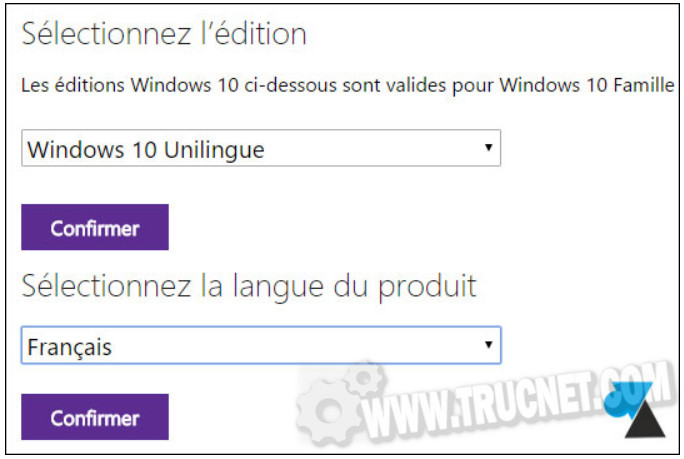
This refers to the "Windows 10 Home" version, the one installed on computers purchased in stores, and "Windows 10 Pro" for businesses: a single ISO for both editions).
3. Click on " 32-bit download " Or " 64-bit download "as needed. The 64-bit version is the most common."
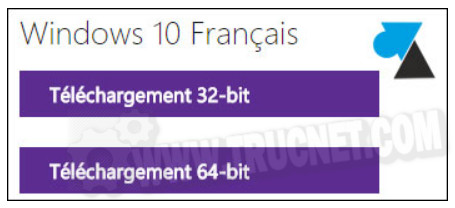
The downloaded files are Win10_1511_SingleLang_French_x64.iso (3.6GB) and Win10_1511_SingleLang_French_x32.iso (2.7GB).
The classic versions are named Win10_1511_French_x64.iso (3.8GB) and Win10_1511_French_x32.iso (2.8GB).
This article was updated on February 3, 2016