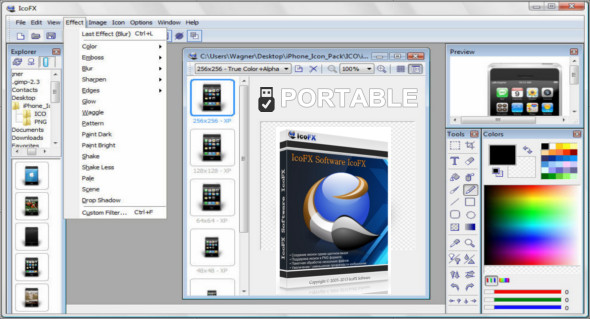
IcoFX 3 is an easy-to-use and professional icon and cursor editor that lets you create icons with transparency on Windows XP, Vista, Windows 7, Windows 8, Windows 10, and Macintosh. You can also easily convert your favorite images into icons or cursors.
IcoFX offers over 40 effects and a collection of intuitive color correction tools. Using these tools, you can fine-tune hue, saturation, and luminance, and adjust color levels, brightness, and contrast. You can easily work with multiple files using IcoFX's batch processing capabilities.
IcoFX allows you to create icon libraries or modify icons within EXE files. IcoFX lets you rearrange and blend layers, change their opacity, and also supports static and animated cursors.
Advanced icon editor
IcoFX features a comprehensive image editor with many useful tools. You can use different brush sizes, shapes, hardness levels, and even blending modes while painting.
Import, export and extract.
You can easily convert your favorite images into icons or cursors. Supported image formats include BMP, PNG, JPG, JPG2000, TIF, and GIF. You can extract icons from other files, including those from Windows and Macintosh.
Batch processing
You can easily work with multiple files using IcoFX's batch processing capabilities. Create, convert, extract, or export all your icons or cursors in just a few clicks.
Icon libraries
IcoFX allows you to create and edit icon and cursor libraries using the built-in resource editor. You can also modify icons within EXE files using the resource editor.
Configuration :
– Windows (x32/x64 Bits): XP, Vista, 7, 8, 8.1, 10
– Processor: 1 GHz
– RAM: 1 GB
Language : Multilingual (French included)
Size : 31.6 MB
This article was updated on January 20, 2019