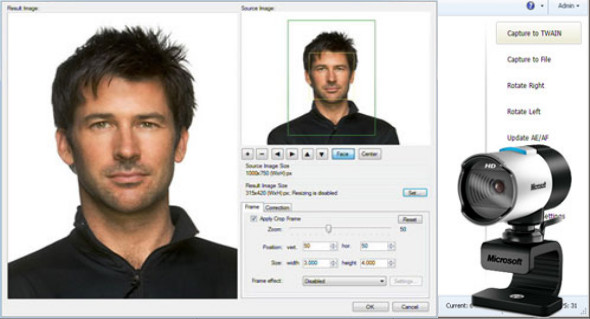
inPhoto ID Webcam is designed for ID photography. The software offers complete control over all standard webcams. inPhoto ID Webcam also provides automatic face detection on live images, face cropping, image resizing, and refinement. This software does not support Canon Powershot and Canon SLR cameras. It only supports webcams.
inPhoto ID Webcam functions as a TWAIN driver. It can be used with all ID card design and management software for automatic image capture with a webcam, facial recognition, cropping, resizing, and image transfer to the ID card design and management software. Incardex software is used for ID card design and printing.
Ability to work as a standalone application.
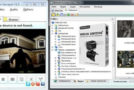
inPhoto ID Webcam can be used as a standalone application. If so, the Capture to TWAIN option in the image preview section will be disabled. To capture images and save them to disk, press the Capture to File button. In standalone mode, you can use all inPhoto ID Webcam features (live image preview, camera settings control, automatic face detection and cropping, image capture and saving, etc.). You can configure a folder on your PC to automatically save all captured ID photos.
inPhoto ID webcam features:
– Live image preview and image rotation.
– Automatic face detection on live image in the preview window.
– Reframing and improvement after detection.
– Controlling camera settings from the computer:
– Image export to applications that support TWAIN. Time-lapse capture option.
– Save the ID photo to a file: the cropped photo is saved to a file on the computer's hard drive. Time-lapse capture option.
– Opportunity to work as a TWAIN pilot
– Ability to work independently.
– Save all settings in user profiles.
Configuration:
– Windows (x32/x64 Bits): XP, Vista, 7, 8, 8.1, 10
– Processor: 1 GHz
– RAM: 1 GB
Language : Multilingual (French included)
Size : 58.5 MB
This article was updated on August 31, 2018