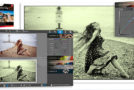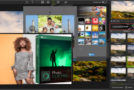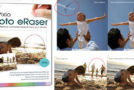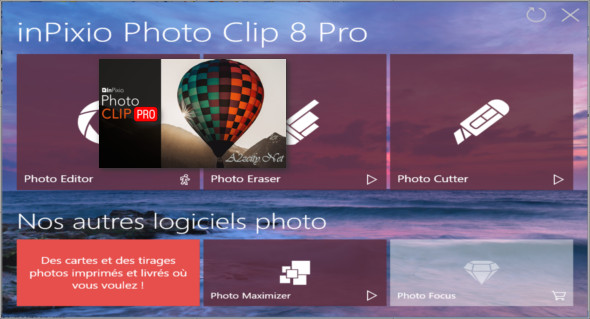
InPixio Photo Clip Professional is a photo editing and enhancement software that allows you to easily cut out elements from a photo to remove them, transpose them onto another background, or create photo montages.
Remove unwanted objects like magic!
Completely remove unwanted objects from your image. Signs, wires, people, or anything else that distracts you from what you're trying to capture. Images on a single-color background can be easily extracted with one click thanks to the automatic color detection feature.
Delete the things that ruin your images
Take your photo quickly, then remove all other unwanted distractions when you get home using Photo Clip. Avoid the hassle of carefully cropping images, which takes time and concentration.
Other image editing programs require precision, and you might notice that you've altered your image in some way. Photo Clip's technical features automatically identify the sections of an image that need filling, resulting in a natural and seamless new photo.
Edit your photos and apply effects
With the pro version of InPixio Photo Clip, you can edit images with over 100 effects and filters. This version includes a complete editing tool that allows you to edit, enhance, and retouch photos.
Main features:
– Remove image backgrounds
– Easily cut out defined objects
– Compose Photo Montage
– Software improvement updates
– Clone the image sections to fill the space
– Comes with practical tutorials
– Save multiple projects
– Drag & Drop for optimal control
– Precision selection with the Lasso tool
– Use a paintbrush for large objects
– Zoom in / navigate through large images
What's new:
– Remove the annoying details and correct the errors
– Flawless cropping of your photos and images
– Create incredible photomontages
– New interface
– New backgrounds available for photomontages
– Crop and rotate 90°
– Detailed user guide
ONLY in the professional version: Full editing module with editor:
– Noise reduction module
– Fog correction module
– Selective retouching module
Configuration:
– Windows (x32/x64 Bits): 7, 8, 8.1, 10
– Processor: 1 GHz
– RAM: 1 GB
– Disk space: 1 GB
Language Multilingual (French included)
Size : 247.3 MB
This article was updated on June 1, 2020