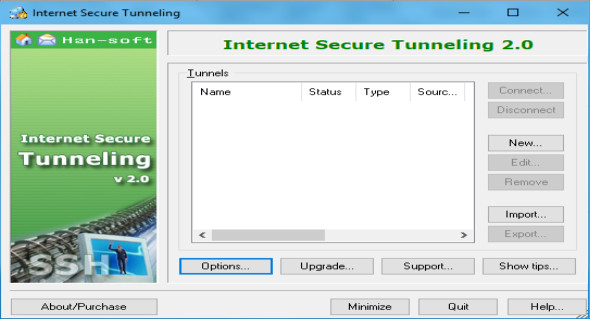
Connection tunneling, or port forwarding, allows you to transfer unencrypted TCP traffic through an encrypted SSH Secure Shell tunnel. For example, you can secure DATABASE, POP3, SMTP, and HTTP connections that would otherwise be unencrypted.
The tunneling feature of SSH Secure Shell is a feature that allows, for example, company employees to securely access their emails, company intraweb pages and shared files, even when working from home or on the go.
Tunneling allows access to email from any type of internet service (whether accessed via modem, DSL line, cable connection, or hotel internet service). As long as the user has an IP internet connection, they can securely retrieve their email and access other resources worldwide.
This is often not the case with more traditional IPSec-based VPN technologies due to issues with traversal networks that implement Network Address Translation (NAT)—this is particularly true in hotels. NAT interrupts an IPSec connection unless special protocols such as NAT-Traversal are implemented on both the client and gateway.
Client-server applications using the tunnel perform their own authentication procedures, if any, in the same way they would without the encrypted tunnel.
The protocol/application may only be able to connect to a fixed port number (e.g., IMAP 143). Otherwise, any available port can be chosen for port forwarding.
Features:
– Create and manage multiple SSH tunnels.
– SSH versions 1 and 2 are supported.
– Compression is supported.
– Remote transfer, local transfer and dynamic transfer are supported.
– Hidden in the system tray.
– Context menu in the system tray for easy access to main functions.
Configuration:
– Windows (x32/x64 Bits): XP, Vista, 7, 8, 8.1, 10
– Processor: 1 GHz
– RAM: 1 GB
Language : English
Size : 1.4 MB
This article was updated on August 26, 2018