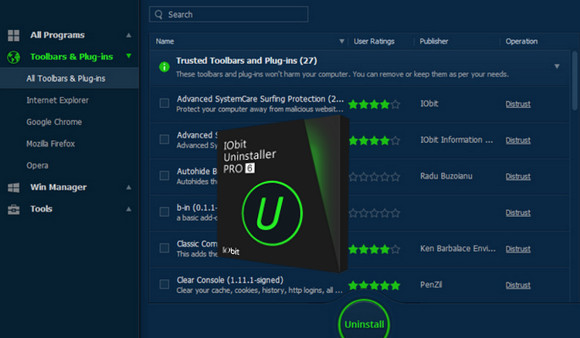
Over time, general uninstallation results in too many leftover files accumulating in the registry, which can easily slow down your PC. But now, users can quickly remove programs and all their remnants with a single click using IObit Uninstaller 5, resulting in a cleaner, faster, and more stable PC. Furthermore, IObit Uninstaller 5 can also uninstall programs and applications pre-installed in Windows 10.
Faster and more secure navigation
Some malicious plugins, toolbars, and unwanted injected programs will be installed in browsers without warning, potentially impacting your online experience by slowing down your browsing speed and causing annoying pop-up ads. After improving its Toolbar and Plugin removal functionality, it will monitor and remove all these unnecessary programs, giving you a fast and clean online experience. The newly enhanced Chrome plugin removal feature can also remove plugins that weren't installed through the Chrome Web Store.
Powerful and Safe Uninstallation
Many stubborn programs cannot be uninstalled or completely removed easily. IObit Uninstaller 5 is capable of powerfully uninstalling them and removing all remnants, including the registry and file directories of some persistent antivirus programs. IObit Uninstaller 5 will resume the uninstallation process if it is interrupted by a system restart. It can also create a system restore point before each uninstallation in case of unexpected issues.
More Powerful Tools
Sometimes, users forget to remove leftover files after uninstallation, and IObit Uninstaller 5's new tool can help them perform a powerful scan for programs in their uninstallation history, as well as clean up invalid shortcuts and other unnecessary update or installation packages. If you download IObit Uninstaller 5, you'll also be able to easily find essential Windows tools.
What's new in version 6.1
– Supports the latest Google Chrome Plugins and Extensions.
– Optimized engine for a faster and more stable experience.
– Fixed the issue of startup programs not being able to uninstall.
– Current languages updated.
– Known bugs fixed.
Configuration:
– Windows (x32/x64 Bits): XP, Vista, 7, 8, 8.1, 10
– Processor: Pentium 3 and above
– RAM: 512 MB
– Disk space: 60 MB
Facility :
1 – Install the program
2 – Close all IObit programs in the process
3 – Modify the host file C:\Windows\System32\drivers\etc\Hosts and add these lines:
127.0.0.1 idb.iobit.com
127.0.0.1 asc55.iobit.com
127.0.0.1 is360.iobit.com
127.0.0.1 asciobit.iobit.com
127.0.0.1 pf.iobit.com
127.0.0.1 iunins.iobit.com
4 – Register with a license key in “ key.txt" .
5 – An error message about the server is displayed; your license is now activated!
- Language : Multilingual (French included)
- Size : 13.7 MB
This article was updated on October 30, 2016