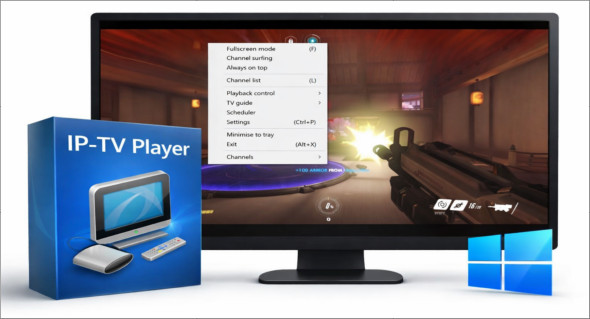
IP-TV Player for Windows is a multimedia software dedicated to playing IPTV streams and audiovisual content broadcast over the internet. Unlike traditional video players, it is specifically designed to manage live television channels accessible from playlists, primarily in M3U format. It is aimed at users who want to watch television over the internet on their computer, while maintaining a simple interface and stable performance.
This player does not provide any content by default. It acts solely as a playback tool, leaving it to the user to add legal and authorized IPTV streams.
Main features of IP-TV Player
IP-TV Player stands out with a set of features designed for streaming television:
- Playing IPTV playlists (M3U)
Importing local M3U files or loading playlists via a remote URL. - Compatible with many formats
Supports most common video formats such as MP4, AVI, MKV, MOV or WMV, as well as network streams. - Watching live TV channels
Smooth navigation between channels, with fast display of the video stream. - Integrated multimedia functions
Ability to pause a stream, take screenshots or, depending on the configuration, record a program that is currently playing. - Full screen mode and audio/video settings
Adjusting volume, aspect ratio and display settings for improved visual comfort.
A simple and accessible interface
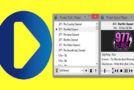
One of IP-TV Player's strengths is its clean user interface. It was designed for quick and easy use, even for inexperienced users. The menus are clear, essential controls are easily accessible, and navigating between channels is straightforward.
This simplicity does not preclude efficiency. More advanced users can configure their playlists, organize their channels, and adapt certain technical parameters according to their needs.
System performance and compatibility
IP-TV Player is known for its lightweight design and low resource consumption. It works correctly on most Windows computers, including older models. However, a stable internet connection is still essential to ensure smooth playback of IPTV streams.
The software is based on proven multimedia technologies, ensuring good stability and broad compatibility with common audio and video codecs, without additional installation.
Who is IP-TV Player for?
IP-TV Player is particularly suitable for:
- For users wishing watch television over the Internet on PC
- To those who already have a legal IPTV playlist
- For people looking for a Simple and efficient IPTV player
- For users who prefer lightweight software to a complex solution
It is less suitable for those looking for a "turnkey" platform with integrated content, as IP-TV Player does not provide any default channels.
IP-TV Player and software alternatives
In the world of media players, there are also solutions geared towards advanced video playback. For example, GOM Player Plus offers a more general approach, focused on playing high-quality video files with premium features. A detailed presentation of this software is available via the following link:
https://www.trucnet.com/gom-player-plus/
IP-TV Player, on the other hand, clearly positions itself as a specialized IPTV player, ideal for television streaming rather than general multimedia use.
Conclusion
IP-TV Player for Windows is a reliable solution for playing IPTV streams and watching streaming television on a computer. Its simplicity, broad compatibility, and good performance make it a relevant choice for users with legal IPTV playlists. Without unnecessary features, it focuses on the essentials and effectively fulfills its role as a dedicated IPTV player.
Version : 50.2
Language : English
Size : 51.09 MB
Configuration:
– Windows (x64 Bits): 7, 8, 8.1, 10, 11
Download IP-TV Player Portable v50.2 for Windows
This article was updated on January 13, 2026