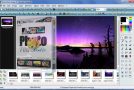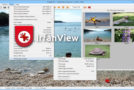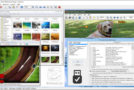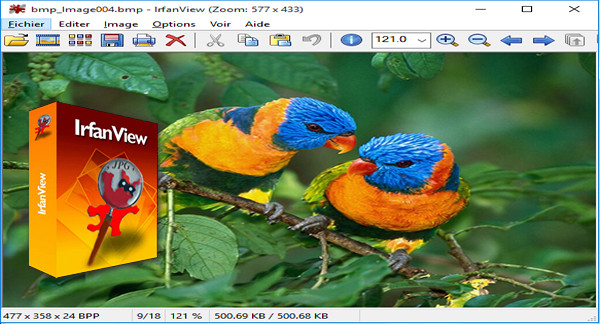
This unassuming little software is actually one of the most useful in the software library: it is a multimedia viewer that recognizes a whole host of formats (BMP, DIB, RLE, GIF, PNG, JPG, PCX, DCX, PCX Multipage, TIF, TGA, RAS, ICO, CUR, ANI, PSD, AVI, MPEG, MOV, WAV, MID, RMI, AIF, AU, SND, WMF, EMF, IFF, PBM, PGM, PPM, EPS, LWF, CLP, CAM, G3, PSP, ICL, Video CD, SFW, Icons in EXE/DLL, PCD, …) and above all, it loads very quickly.
You can also add a whole series of plugins (including for playing MP3s, shockwaves, etc.). All of this has made it, for years, a benchmark in its genre and a very popular piece of software for users who do not want to view their images with a "complex" type of software.
Summary of IrfanView's main functions:
– Views and converts between graphic file formats.
– Permanently rotates JPEG images without loss of information.
– View animated GIFs.
– Recognizes the .LWF format (LuRaWave Format, Wavelet Compression).
– Screenshots.
– Exports images in Windows icon format.
– Image editing (various fairly basic editing functions), text insertion, application of multiple effects, gamma correction, graphic filters.
– Views all images in the directory (Thumbnails menu), and generates an index in HTML.
– Converts multiple images into another format in a single operation (Batch Conversion).
– Playback of audio and video files.
– Slide Shows (slide shows).
– Twain compatible (for scanners).
– Visualization of EXIF data (which it can export to a text file, or overlay on the image) and IPTC.
– Editing of IPTC data.
– Rename the images in a sophisticated way.
– Processing possible via DOS commands.
Configuration:
– Windows (x32/x64 Bits): Vista, 7, 8, 8.1, 10
– Processor: 3GHz
– RAM: 512 MB
– Disk space: 80 MB
Facility :
Both portable versions contain all the Plugins: so you don't have to install anything.
– Launch the i_view32 filei_view32.exe or i_view64\i_view64.exe (depending on your system)
Integration into the file explorer context menu:
1- Launch the file i_view32.exe Or i_view64.exe (depending on your system) in mode administrator.
2- Options / Settings / Extensions -> Check: Add "open with IrfanView".
- Language : French / English / German
- Size : 71.6 MB
This article was updated on December 21, 2016