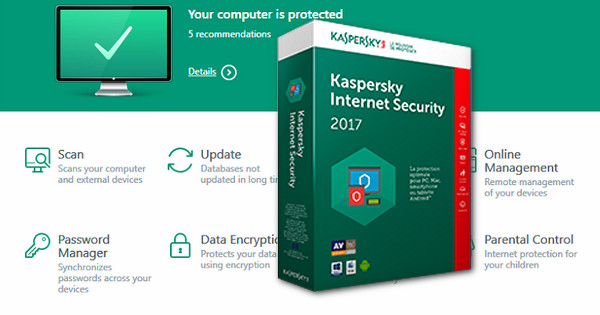
NEW FEATURES IN KASPERSKY INTERNET SECURITY 2017
The following features were introduced in Kaspersky Internet Security 2017:
Training materials for the application's main modules have been added. These modules are accessible in the main window.
The Program Update module has been added. This module allows you to manage updates for programs installed on the computer: for example, installing only important updates or all updates.
The Kaspersky Secure Connection app has been added. This app protects your data when using public Wi-Fi networks and ensures anonymity online.
The Program Uninstaller module has been added. This module allows you to remove programs installed on your computer, for example, programs that are rarely used or installed without your consent.
Notifications about Wi-Fi network connections have been improved. The categorization of Wi-Fi networks has been corrected.
The operating mechanism of the Anti-Banner module has been improved.
The Private Browsing module has been improved. The functionality of the Kaspersky Protection extension has been improved.
The Bank Protection module has been improved. The option to send feedback has been added.
Background app updates have been improved. Now, during the update, you will not need to re-accept the License Agreement if it hasn't been modified.
The Mail Antivirus has been improved. The default depth of heuristic analysis has been increased to the medium level.
Configuration:
– Windows (32/64 bits): XP/Vista/7/8/8.1/10
– 1 GHz processor or higher
– 1 GB of RAM
– 920 MB of free space on the hard drive.
– Internet connection
– Microsoft .NET Framework 4 or higher.
Facility:
1. Install KIS 2017 (kis17.0.0.611fr-fr_full.exe)
2. Suspend Kaspersky protection & Disable self-defense (Settings > Advanced > Self-defense > Uncheck)
3. Completely quit Kaspersky
4. Completely disable the internet {Important}
5. Run KRT v5.1.0.29.exe (Crack folder)
6. Click on Activate & Select the KIS.lic file
7. Wait for Kaspersky to launch and then close it
8. Right-click and select "Run as administrator" on BLOCKHosts.bat
- Language: French
- Size: 173.1 MB
This article was updated on September 15, 2016