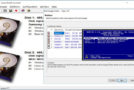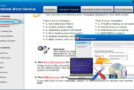
Kon-Boot allows easy and discreet access to a Windows session with administrator privileges. The Kon-Boot live CD, which can also be installed on a USB drive, modifies the kernel during the boot process to temporarily bypass the authentication system. As a result, Kon-Boot leaves no trace because, upon restarting, the computer automatically restores the original Windows kernel and returns the user to the standard authentication screen.
Compatibility:
Microsoft Windows XP 32Bit/64Bit (all versions since SP2)
Microsoft Windows Server 2003 32Bit/64Bit (all versions)
Microsoft Windows Server 2008 32Bit/64Bit (all versions)
Microsoft Windows Vista 32Bit/64Bit (all versions)
Microsoft Windows 7 32Bit/64Bit (all versions including EFI)
Microsoft Windows 8 and 8.1 32Bit/64Bit (all versions including EFI, local and online authorization)
Microsoft Windows 10 32Bit/64Bit (all versions including EFI, local authorization + possibility to add local administrator account automatically)
Using Kon-Boot:
When you encounter a Windows computer with a Windows password for the user session, simply do this:
– Turn off the computer.
– Insert your USB key.
– Start your computer by booting from your USB drive and then when prompted for the password, either type whatever you want or just press the key
-“Enter” (for XP this goes directly without anything to type or validate).
- Language: English
- Size: 1.07 MB
This article was updated on August 7, 2019