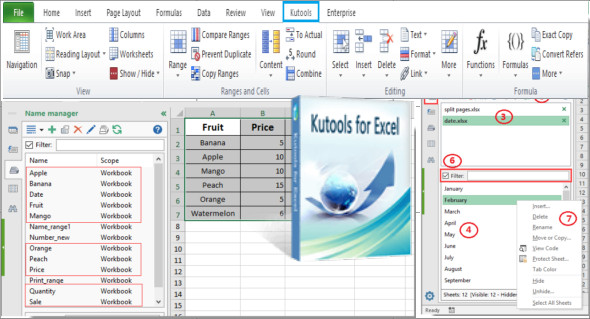
Kutools for Excel is the handy tool for simplifying complex Excel tasks in just a few clicks. It enhances and adds over 300 advanced functions to help you easily manage various types of tasks. For example, you can merge cells without losing data, quickly combine worksheets, paste only into visible cells, perform batch operations with a single click, count cells by color, and much more.
Kutools for Excel is undoubtedly a very handy extension that will save you time and effort. You can also use Professor Excel Tools.
Compatibility:
Office: Excel / Office 2007, 2010, 2013, 2016, 2018, 2019, 2021, 2024 and 365
Insert a ball
Quickly insert bullet symbols or a bulleted list into multiple cells at once.
Insert numbering
With this feature, you can insert a numbered list into multiple cells quickly and easily.
Remove the time from the date
Quickly and easily remove the time from date and time format cells, leaving only the date format.
Toolbar mode
You can change the toolbar mode depending on your computer screen resolution. If your computer screen resolution is higher, you can choose to use the Medium or Large toolbar mode. Doing so will display more functions in your Ribbon interface.
The offline HTML help document is available
Help documentation has been added for Kutools for Excel in this version. You can access the help documentation offline.
Currency conversion
Added currency abbreviations before each currency in the dialog box to make this feature clearer and more understandable.
Version : 30.60
Language : Multilingual (French included)
Size : 90.48 MB
Configuration:
– Windows (x32/x64 Bits): 7, 8, 10, 11
– Office Excel (32/64-bit): 2007 to 2024 and 365
Download Kutools for Excel v30.60
This article was updated on July 17, 2025