Excel is an indispensable tool in the professional world. It is used in almost every sector: accounting, management, finance, marketing, logistics, human resources, etc. Yet, many people feel lost when faced with the interface, formulas, or the numerous features offered by the software.
This "Learn Excel in 2025 with 70 Practical Case Studies" training course has been specifically designed to guide you step by step, in a clear, structured, and decidedly practical way. It is suitable for beginners, intermediate users looking to improve their efficiency, and professionals seeking to update their skills with the new features of Excel 2025.
Objective: To make you proficient with Excel, quickly and without frustration
Unlike some purely theoretical courses, here each concept is immediately applied through concrete exercises. Thanks to 70 practical cases inspired by the real world, you will learn not only how to use Excel, but above all, how to solve common professional problems.
You will progress step by step, without information overload or unnecessary complexity. The teaching approach is designed to be clear, logical, and motivating.
What you will learn in this training
Here are the main topics covered throughout the training:
- Getting started with the Excel interface Ribbon, menus, cells, toolbars… so you’re never lost in the software environment again.
- Data entry, formatting and layout : To create clear, organized charts ready to be printed or shared.
- Creating formulas and understanding functions Mastering the basics of automatic calculation with Excel.
- Essential functions : SUM, AVERAGE, IF, COUNTIF, VLOOKUP, INDEX, MATCH, etc.
- Data visualization : Learn to use the graphs, THE conditional formatting and other visual elements to make your data more readable and impactful.
- Using structured Excel spreadsheets Organize your data in a clean and professional manner.
- Analysis using pivot tables A powerful tool for quickly synthesizing large volumes of information.
- Discover the new features of Excel 2025 such as: XLOOKUP, LET, SORT, SEQUENCE, UNIQUEetc., to save valuable time.
- Power Query & Power Pivot Automate data processing, merge multiple sources and create advanced analysis dashboards.
- Introduction to the VBA language : Get started with automation using simple and customized macros.
Why choose this Excel training course?
- 70 real-life case studies : to learn by doing, and not just by watching.
- Up-to-date % 100 training course for 2025 including the very latest Excel features.
- Structured and logical progression : proceed step by step, without frustration or wasted time.
- Responsive teaching support Ask your questions, you will receive clear answers quickly.
- Downloadable resources and answer keys provided : work with the Excel files used in the training, to practice immediately.
Who is this training for?
- Beginners wishing to learn Excel in a simple and effective way.
- Regular users wishing to discover new, faster working methods.
- Professionals who want to automate their tasks with Power Query or VBA.
- Students or employees wanting to improve their employability with Excel.
Also read: a related article
Do you want to go even further in mastering Excel formulas?
Excel Training: Mastering all Excel formulas
This detailed article will guide you through learning Excel's most advanced functions, with examples and clear explanations to boost your efficiency.
In summary
This Excel 2025 training course doesn't just show you how the software works. It guides you towards true autonomy by providing you with concrete skills that can be immediately applied to your daily work.
With its 70 practical cases, its up-to-date features and its progressive approach, it is ideal for mastering Excel without stress, even if you are starting from scratch.
Format: MP4 (179 Files)
Language : French
Duration : +13H
Size : 7.08 GB
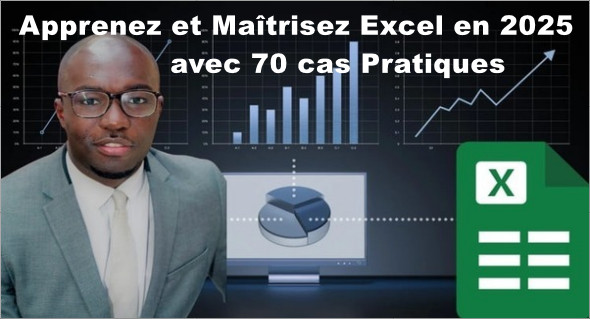
Learn and Master Excel by 2025 with 70 Practical Case Studies
This article was last updated on July 15, 2025