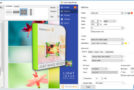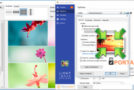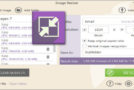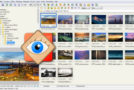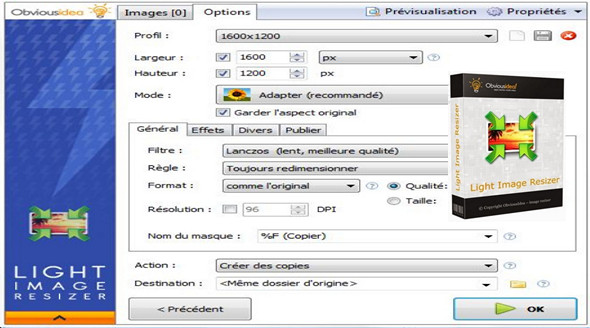
Light Image Resizer (Formerly known as VSO Image ResizerLight Image Resizer is a tool that organizes your photos by reducing their resolution or moving them around your hard drive. It's the perfect tool for those who store their digital images on their PC and want to resize, compress, convert, create copies, import, or organize photos. Light Image Resizer is integrated into the Windows Explorer menu; simply right-click on your photos and start working on them!
With this software, you can create user-friendly versions of your images, load them faster, easily move them from one folder to another, change their format, edit a large number of image files/batch resize images, and thus save hard drive space. Using high resolution (1600×1200) for wallpaper creation or file sharing saves memory. Light Image Resizer can also rename files using a template, and you can add your own watermark with transparency support.
Main features:
• New filters, superior quality and new algorithms
• Smart Digital Frame Transfer Assistant to optimize digital photography
• New resizing method
• New engine, 2x faster, multi-core CPU support
• Works on the file, folder, and subfolders
• Configurable compression/resolution ratio
• Supports file formats: Jpeg, gif, bmp, tiff, etc.
• Supports RAW formats from digital cameras: Canon .CR2, Nikon .NEF, .MRW Minolta etc.
• Customizable templates for renaming files: iPhone wallpaper, PAL, NTSC, iPod etc.
• Webmaster Tool: Add your logo or watermark file
• Reduce photo size, ideal for web editing / sharing photos via email
• Integrate into Windows Explorer or run as a standalone application
• Import directly from your memory cards
• Save the destination folder history
• Variable options and settings for advanced users
• Multilingual support (languages available…)
What's new :
* NEW: The watermark image can now be tiled (by setting the Resize option to Tile)
* NEW: Transparent background can be selected for Center mode
* NEW: Add recent profiles to the Jumplist app
* Repair: Watermark image rotation has been interrupted
* Fix: Using percentages with Center mode can lead to incorrect dimensions
* Fix: The output was not centered in Crop mode when the source was smaller than the target dimensions
* Fix: The preview was not refreshed when some options were changed
* Repair: error after processing in some cases (Error in OnFinished)
* Fix: The sequential numbering for the watermark text was disabled
* Repair: Processing has slowed down and is not working at full performance with many files
Configuration:
– Windows (x32/x64 Bits): XP, Vista, 7, 8, 8.1, 10
– Processor: 1 GHz
– RAM: 512 MB
– Disk space: 1 GB
Facility :
1. Start the installation light_image_resizer5_setup.exe
2. Copy the file Patch.exe in the installation folder and launch it in administrator
Portable version:
Run the Portable\ fileImageResizerPortable.exe
Language Multilingual (including French)
Size : 15.1 MB
This article was updated on March 22, 2017