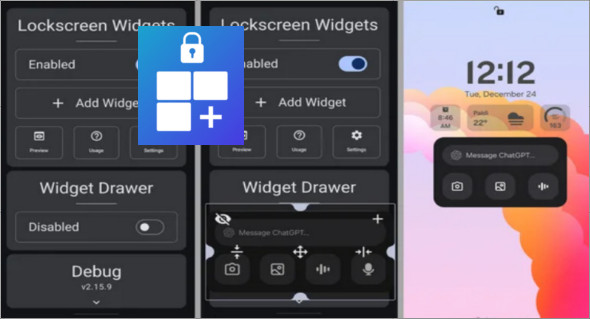
The lock screen is often underutilized on Android. Yet, it's the first interface you see when you turn on your smartphone. With Lockscreen Widgets and DrawerThis space becomes a smart, customizable and genuinely useful tool for everyday use.
This Android application allows you to add widgets, shortcuts and an application drawer directly to the lock screen, providing quick access to essential information while maintaining a high level of security.
A new way to use the lock screen
Traditionally, the lock screen is only used to display the time, date, and notifications. Lockscreen Widgets and Drawer goes much further by transforming this screen into a true interactive dashboard.
Thanks to the integration of Android widgets, users can instantly check the weather, their calendar, battery status, or music controls without having to unlock their phone. This functionality improves productivity and saves valuable time every day.
Android widgets accessible from the lock screen
One of the strengths of Lockscreen Widgets and Drawer is the ability to add native widgets directly to the lock screen. These widgets remain dynamic and display real-time information.
The user can choose:
- the widgets to display,
- their size,
- their position on the screen,
- their level of transparency.
This flexibility allows the display to be adapted to all uses, whether for professional or personal needs.
A smart drawer for quick access to applications
In addition to widgets, Lockscreen Widgets and Drawer includes a customizable drawer, accessible with a simple gesture from the lock screen. This drawer allows you to group your most frequently used applications and launch them quickly.
The opening gesture can be configured according to user preferences (swipe from the left, right, or bottom edge). This system offers smooth and intuitive navigation, ideal for quickly accessing tools such as the flashlight, camera, or communication applications.
Advanced visual customization
Lockscreen Widgets and Drawer prides itself on offering extensive customization. The interface adapts to all styles, from the most minimalist to the most creative.
Users can adjust:
- the layout of the widgets,
- the animations,
- the colors and the transparency,
- the behavior of the application drawer.
This freedom of configuration allows for the creation of a unique lock screen, perfectly tailored to each user.
Security and confidentiality first
Despite the quick access to widgets and shortcuts, security remains a priority. Lockscreen Widgets and Drawer leverages existing Android security mechanisms to prevent access to sensitive applications without authentication.
A PIN code, pattern, password, or fingerprint is always required when necessary. This ensures that personal information remains protected, even if the smartphone is lost or stolen.
Optimized compatibility and performance
The app is compatible with most recent Android devices. Some manufacturer customizations may require specific settings, but a built-in guide simplifies permission configuration.
In terms of performance, Lockscreen Widgets and Drawer is designed to be lightweight and energy-efficient. Its impact on battery life is minimal, making it perfectly suited for extended daily use.
Why choose Lockscreen Widgets and Drawer?
Lockscreen Widgets and Drawer is for all Android users who want to get the most out of their lock screen. It combines practicality, advanced customization, and security, all while offering a smooth and modern experience.
Whether it's for quickly accessing information, launching essential applications or customizing your smartphone in an elegant way, Lockscreen Widgets and Drawer is a complete and efficient solution.
Version : 3.2.0
Size : 20.60 MB
Compatibility: Android 4.2 or higher
Download Lockscreen Widgets and Drawer v3.2.0
This article was updated on January 31, 2026