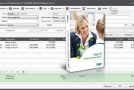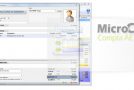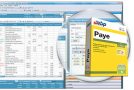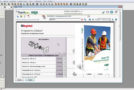
This user-friendly software is designed for landlords or property management companies (SCI) who want to automate all aspects of managing their rental properties. With its quick learning curve, LogiLoc Rental Management guides you through every stage of management [rent collection, service charge adjustments, rent reviews, payment tracking, and detailed property condition reports]. The software's main window allows you to view rent collection notices and service charge adjustments in real time, as well as the list of rents due.
Strengths
– Landlord setup (detailed description, document management, signature digitization)
– Tenant management (including co-tenants, CAF allowance, rent and charges accounts, document management)
– Real estate management (detailed description and inventory, calculation of base rent, document management)
– Lease management (definition of the lease, rent details, consideration of guarantors, revision)
– Rent collection management (printing and/or sending rent due notices and receipts by email)
– Preparation and printing of entry and exit condition reports
– Calculation of rent revisions (index updates available online)
– Calculation and monitoring of charge adjustments (printing and/or sending by email)
– Monitoring of payments received with alerts for unpaid invoices (printing and/or sending receipts by email)
– Express payment by scanning the barcode of the reply coupons (barcode scanner not provided)
– Monitoring the collection and return of security deposits
– Option to customize reports for experienced users
– Integrated database backup and restore function
– Multi-folder and multi-landlord support (Pro version only)
Configuration:
– Microsoft Windows XP, Windows Vista, 7, 8, 10
– Microsoft .NET Framework 4.0 or higher
– 1 GHz processor (Intel Pentium 4 or equivalent)
– 512 MB of RAM (1 GB recommended)
– 40MB of available hard drive space
Facility:
– Install the software and launch the keygen
– On first startup, click on “Enter key”
– Copy the private key (on a red background) to the keygen
– Copy the unlock key to the registration window (green background) and click on “Register your key”
- Language: French
- Size: 10.88 MB
This article was updated on September 5, 2016