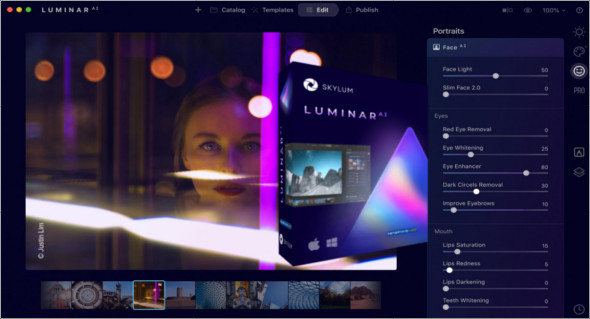
Luminar AI is the first editor that uses artificial intelligence to edit photos and create stunning images. This program adds realistic atmospheric effects with 3D depth and creates magical moods without any masks or layers. You can also use Skylum Luminar.
With AI architecture, you can enhance details in the right places. The AI structure recognizes people, water, sky, and objects. Add depth and clarity to the scene only in the desired areas. It works perfectly even with small, overlapping details. Re-light the entire image so the original image matches its lighting and color.
Revolutionary artificial intelligence works like magic on faces and bodies of all shapes, ages, and colors, instantly removing impurities while preserving pores, texture, and hair. It also naturally enhances faces, lips, and teeth, eliminates unwanted dark circles, and much more.
Features of Luminar AI
– An amazing photo editor is surprisingly fun and easy.
– A photo editor fully powered by AI.
– Realistic atmospheric effects with 3D depth.
– The application recognizes people, water, sky and objects.
– Works perfectly even with fine, overlapping details.
– Total control over color depth and color refinement for balance.
– New color palettes that change the style and emotion of your image.
– You will always get the perfect harvest with Composition AI.
– Create stunning and expressive eyes.
– You can modify and adjust at each stage of the process.
– It is packed with amazing next-generation photo editing technologies.
Version : 1.5.2 (9370)
Language : Multilingual (French included)
Size : 770.23 MB / Laptop: 830.53 MB
Configuration:
– Windows (x64 Bits): 7, 8, 8.1, 10
Luminar AI 1.5.2 (9370)
Luminar AI Portable 1.5.1 (8677)
This article was updated on March 30, 2022