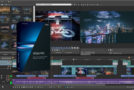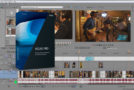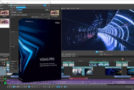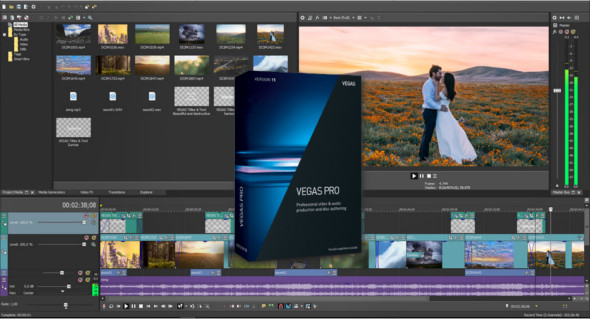
MAGIX VEGAS Pro provides all the tools you need to quickly edit your video. Encode for 4K delivery or publish it to your preferred broadcast outlet. Or create and distribute your production in HD with Dolby Digital sound on a Blu-ray disc. Wherever your final destination, VEGAS Pro gets you there faster than ever.
Work fast. Deliver faster.
Work more efficiently than ever with a customizable user interface and fast, precise editing tools. Drag-and-drop editing and creation streamline production and delivery. Mix, combine, and edit popular formats, including HEVC, ProRes, AVC, and more, directly on the timeline without waiting for re-editing or transcoding. Powerful hardware acceleration leverages NVIDIA and Intel QSV technologies to shorten the rendering process. Designed and built specifically to save you time and enhance your creativity.
High-end color workflow
Take your color workflow to the next level. Work within the extended dynamic range offered by cameras using S-Log encoding and supported by the ACES 1.0 Academy color coding system. This provides the ideal color space for compositing and color grading. A new OFX LUT plug-in lets you apply both camera and style LUTs to take your projects to new heights.
Work like never before with creative interaction
The new Picture-in-Picture and Crop OFX plug-ins open up endless creative possibilities. Position, resize, and animate picture-in-picture effects using controls directly in the preview window and get instant feedback as you make adjustments. Use the same in-preview controls to crop video or still images to create creative effects.
Creation of high-definition DVDs or Blu-ray discs
With its drag-and-drop workflow, DVD Architect, included with VEGAS Pro, makes it easy to create a professional-quality DVD or Blu-ray disc. Simply drag your media onto the workspace to automatically create custom navigation for feature videos, director's notes, audio tracks, and more. Create motion graphics and custom keyframe-compatible overlays by importing multi-layered Photoshop files. A simple adjustment of settings lets you burn an SD DVD and then switch to burning an HD Blu-ray disc.
Strengths
– Key innovations in the user interface
– OFX Picture-in-Picture plug-in with real-time controls on the video preview
– OFX Lookup Table (LUT) plugin
– Powerful hardware acceleration technologies
– Instant freeze-frame
– Replacement for the OFX plug-in with real-time controls on the video preview
– Support for ACES 1.0
– Selectively paste event attributes
– Includes DVD Architect for creating DVDs and Blu-ray discs
Configuration:
– Windows (x64 Bits): 7, 8, 8.1, 10
– Processor: 2 GHz
– RAM: 2 GB
Language : Multilingual (French included)
Size : 432.8 MB
This article was updated on August 7, 2018