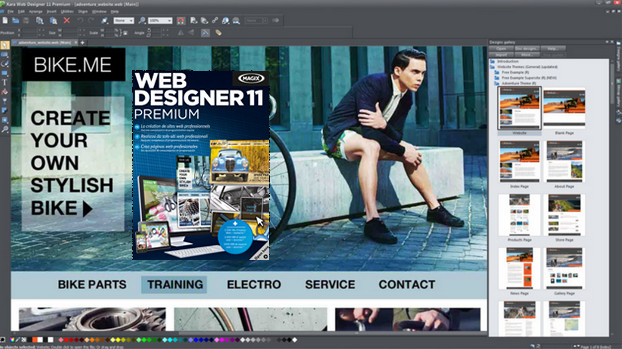
MAGIX Web Designer 11 Premium is the most powerful software solution for creating professional websites.
Design your website easily and exactly as you imagine it, without writing a single line of code.
New features:
– More web page templates & design elements
– Anchoring of elements: isolated objects, such as navigation bars, remain fixed during scrolling.
– Full-screen objects, completely covering the surface of the browser window
– Optimized page transition animations
– New MouseOver effects
– Triggering animations: animations are activated when scrolling reaches a particular element of the page, for example.
– A customizable photo gallery, developed using the latest version of HTML5 and CSS3 technology.
– Continuous editing of web pages in the online browser
– Secure uploading thanks to SFTP and FTPS support
Premium Benefits :
– Optimal display for smartphones, tablets, etc.
– Specific professional website templates
– Numerous options for online commerce
– Advanced search engine optimization
– Web statistics (Google Analytics)
– Over 600 fonts
– 3D graphics
– Advanced photo editing
– Animations & effects
Additional Information:
Designs/Templates can be downloaded via the Design Gallery (right-hand panel).
Select a section, then right-click: "Download all".
Downloaded files of type .xar and others are located in:
C:/Users/(your name)/AppData/Local/Xara/MagixWebDesignerPremium/11/Cache/designs/fra/
Warning: these are hidden files.
Note that there was a download error in the "Headers" section (so disregard it):
Page elements & widgets -> Graphic elements -> Headers
Note that each time the program is launched, the intro page opens: websiteintro.web
Configuration
– System: Windows Vista/7/8/10 x64
– Processor: 700 MHz
– RAM: 512 MB
– Graphics card: Integrated, minimum resolution of 1024 x 600 pixels
– Hard drive memory: 300 MB of available hard drive space for program installation
– Size on hard drive: 550 MB
Facility
1. Run Web_Designer_11_Premium_x64_FR_11_2_2_40331.exe and perform a Custom installation
(Be careful not to select the Simpliclean installation option)
– Close the program by clicking on Finish.
2. Replace the WebDesigner.exe
(where you installed your program – or by default C:/Programs/MAGIX/Web Designer 11 Premium/) by the one located in the CrackFix-AMPED folder.
It is advisable, once all the Designs/Templates have been downloaded, to block the program with your firewall.
- Languages: French / Dutch / German / Spanish / Italian
- Size: 231.86 MB
This article was updated on July 21, 2016