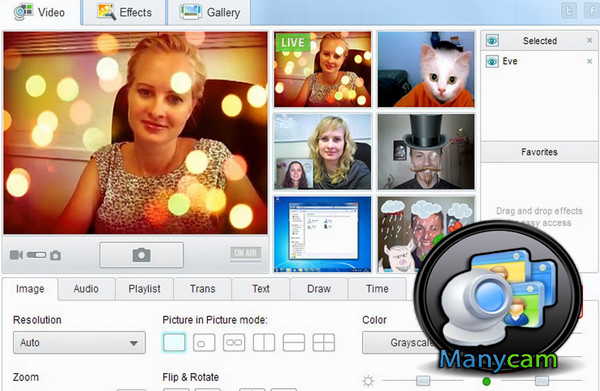
ManyCam is an ideal software for using a webcam simultaneously on multiple applications.
Inserting real-time effects onto the broadcast images is also possible.
ManyCam allows you to use a single webcam with multiple applications at the same time.
It has its own driver for webcam management. This way, it's no longer necessary to close one application using the webcam to launch another.
Main features
To make conversations more fun, you can add effects to the images you share with the person you're talking to. For example, you can add cartoon eyes, a sun, and much more.
To do this, simply choose a theme and click on the desired effect. Voice effects are also available. This feature allows you to modify or enhance your voice. Users can easily create their own graphic effects. The only limit to this option is the user's imagination, as anything is possible.
Adding real-time text to the video being streamed is even possible.
More
– Easy to implement.
– Simple and user-friendly graphical interface.
– Ability to create your own effects.
Configurations:
– Windows: 7 / 8 / 8.1 / 10.
– Processor: Intel Core i3 or more powerful.
– RAM: 2 GB.
– Disk space required: 50 MB.
– Webcam.
– Internet connection.
Facility:
1. Run the software installation as administrator
2- Copy/Paste the qsvg.dll file into:
C:\Program Files (x86)\ManyCam\imageformats
Or
C:\Program Files\ManyCam\imageformats
(Depending on the operating system)
- Language: Multilingual (French included)
- Size: 61.6 MB
This article was updated on September 24, 2016