Microsoft Office 2016-2021 includes updated versions of the suite's applications: Word, Excel, PowerPoint, Outlook, Access, and Publisher. You can also download Microsoft Office Pro Plus 2016-2019-2021.
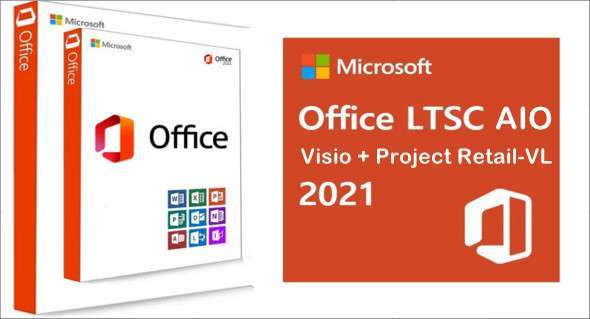
Office 2021 LTSC All-In-One + Visio + Project Retail-VL includes virtually all the changes added to the Office 365 suite over the past three years, although some features remain exclusive to subscribers. In addition to the core programs Word, Excel, PowerPoint, and Outlook, which are available for both Windows and macOS, Access and Publisher are only available for Windows and are included, as usual, only in premium editions. Visio and Project for Windows are also available, although they are not part of the current version of Office.
Microsoft Office 2016-2019-2021 includes
-Microsoft Office Mondo 2016
– Microsoft Office Professional Plus 2016
– Microsoft Office Professional Plus 2019
– Microsoft Office Professional Plus 2021
– Microsoft Office Professional 2016
– Microsoft Office Professional 2019
– Microsoft Office Professional 2021
– Microsoft Office Professional Premium
–Microsoft Office Standard 2016
– Microsoft Office Standard 2019
– Microsoft Office Standard 2021
– Microsoft Project Professional 2016
– Microsoft Project Professional 2019
– Microsoft Project Professional 2021
– Microsoft Project 2016 standard
– Microsoft Project Standard 2019
– Microsoft Project Standard 2021
– Microsoft Visio Professional 2016
– Microsoft Visio Professional 2019
– Microsoft Visio Professional 2021
-Microsoft Visio Standard 2016
-Microsoft Visio Standard 2019
– Microsoft Visio Standard 2021
– Microsoft Office Enterprise Home 2016
– Microsoft Office Business Home 2019
– Microsoft Office Business Home 2021
– Microsoft Office Home Business Premium
– Microsoft Office Home & Student 2016
– Microsoft Office Home & Student 2019
– Microsoft Office Home & Student 2021
– Microsoft Office 365 (Premium Family)
– Microsoft Office 365 (education cloud)
– Microsoft Office 365 applications for businesses
– Microsoft Office 365 applications for businesses
– Microsoft Office 365 Small Business Premium
Microsoft Office 2016-2019-2021 Professional Plus Installation
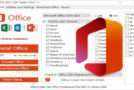
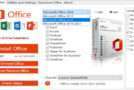
1. Run OInstall.exe, select the desired version of Microsoft Office (2016-2019-2021), select the desired language, and choose the programs to install.
2. Click 'Install Office' and wait for the installation to finish.
3. In the 'Utilities and Settings' tab, click on 'Office RETAIL => VL', then on 'Activate Office'
Version : 2310 Build 16924.20106 LTSC
Language : Multilingual (French included)
Size : 6.44 GB
Configuration:
– Windows (x64 Bits): 7, 8, 8.1, 10, 11
Microsoft Office 2016-2021 Version 2310 Build 16924.20106 LTSC AIO
This article was updated on October 27, 2023