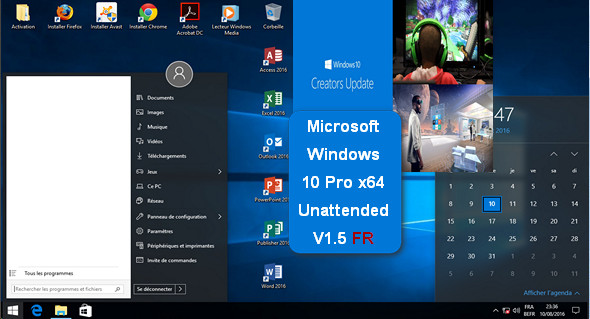
This version includes several useful programs for those who do not have time to install these programs; links to different installers have been placed on the desktop, in addition to improvements and pre-programmed settings to facilitate the user's work.
Upgrading and installing from Windows is not recommended!
Release Base and/or Integrated Updates
– Windows 10 Professional 64-bit French (Creators Update, April 2017)
Software integration
– Adobe Acrobat DC (Update 1501020060)
– Microsoft Office Pro 2016 (x64, updates until December 2016)
– StartIsBack++ v2.0.1 (Start Menu)
– WinRAR 5.40 (x64)
– Google Chrome
– Mozilla Firefox
Optimizations and configurations
– Displaying details when copying files
– Displaying file extensions
– Display of the expanded explorer banner
– Added a Windows Toolbox accessible via right-click on the Desktop:
— Repairs:
——-~ Disappearance of the sound icon in the taskbar
—Disappearance of optical devices
Documents awaiting printing are blocked.
- Security :
——-~ Understanding the usefulness of a software program (Should I Remove It)
Immunize USB drives: BitDefender USB Immunizer
——-~ Privacy Management: O&O ShutUp 10 v.1.4.1388
– Improved support for NTFS partitions
– Disabling updates via Peer-2-Peer
– Disabling User Account Control (UAC)
– Disabling recent document storage/search
– Disabling SmartScreen
– Disabling “Windows Auto-Tuning” (Improves bandwidth)
– The Windows Viewer is available again
– Hiding the Active Applications button (Virtual Desktop)
– Hiding the taskbar search field
– Open Explorer to “This PC”
– During installation:
—> Skip the final user agreement acceptance page
—> Skip the online account setup
—> Skip the wireless network configuration
—> Do not send a report to Microsoft
– Ability to extract images from docx, pptx, and xlsx documents via the right-click menu
Features removed
– Links to get 3D Builder, Microsoft Office, Microsoft Sway, Skype
– Useful demonstration for stores
Configuration:
– Processor: (64-bit) 1 GHz
– RAM: 3 GB
– Disk space: 18 GB
Facility :
1. Decompressing/Recompressing the installation image with (GImagex for example) in two 3 GB parts (compatible with FAT32 formatted USB drives). Or create a bootable USB drive using, for example: Rufus
2. Office and Windows can be activated using genuine keys or via one of the ZIP-compressed software packages in the folder " Activation » located on Desktop.
Language : French
Size 5.9 GB
This article was updated on July 1, 2017