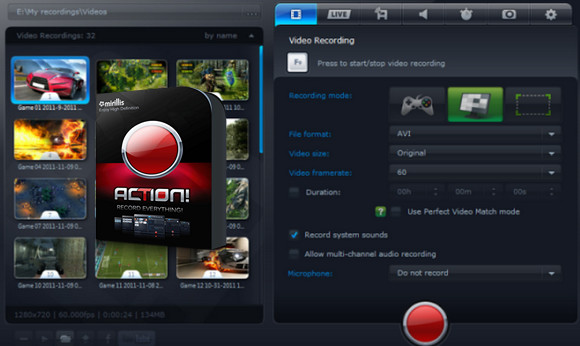
Mirillis Action provides a complete solution for recording game activity and offers a powerful set of tools for processing screen recordings. You can also use TechSmith Camtasia.
Mirillis Action is a powerful screen recording and capture application specifically designed to record gameplay and on-screen activity. It provides a simple and straightforward user interface that allows users to record and capture the screen with audio and offers the ability to capture screen activity precisely according to their needs. Perform various screen recording operations and manage the recording process with greater control over all aspects of screen capture.
Mirillis Action can record the entire screen or a specific area, and offers customizable settings with real-time recording capabilities. Furthermore, Mirillis Action allows users to add watermarks to videos and supports video finalization as needed.
Features of Mirillis Action!
– A powerful screen recording application
– Supports capturing game activity
– Lightweight application with no performance lag
– Process the recordings with the built-in editor
– Supports video editing after recording
– Supports video recording with custom settings
– Make various adjustments and customize the videos
– GreenScreen mode to remove and replace the background
– Preview videos in embedded mode and add watermarks
– Recording audio with videos
– Share videos on different social networking sites
Version : 4.45.0 /Portable: 4.35.0
Language : Multilingual (French included)
Size : 106.14 MB / Laptop: 155.10 MB
Configuration:
– Windows (x32/x64 Bits): 7, 8, 8.1, 10, 11
Download Mirillis Action! v4.45.0
Download Mirillis Action Portable v4.35.0
This article was updated on May 4, 2025