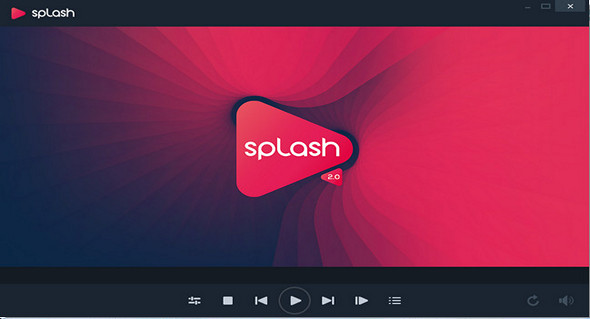
Splash is a program that lets you watch and convert your videos like never before – superb performance, smooth motion, crisp details, and vibrant colors. Enjoy the best video quality and a unique user experience!
Designed and optimized for HD!
Play and convert all your high-definition movies and camcorder clips incredibly fast, smooth, and hassle-free. Download, install, watch, convert, and share. It only takes a second to start the app and begin playing high-definition video!
Convert videos with style!
Enjoy ultimate performance and a sleek user interface. Select one of many preset profiles and press a button to easily and quickly export your clips to popular formats, your favorite media devices, Facebook, or YouTube. Save energy and choose hardware-accelerated, optimized video export time with Splash!
Impressive video quality!
Advanced image post-processing engine delivers exceptional video quality. Watch standard and high-definition videos like never before, with smooth motion, vibrant detail, and vivid colors. And use Demo Mode to see the difference!
Ultra-responsive, elegant and innovative user interface.
Splash 2.1 is compact, stylish, user-friendly, and incredibly fast! Discover Smart Seek, an advanced search mode designed to find specific movie scenes without interrupting video playback. Splash delivers the best user experience for playing video files. Designed to let you enjoy multimedia the right way.
Customize the user interface colors with Splash themes
With Splash 2.1 themes, you can change the Splash 2.1 user interface color to match your preferences, your Windows wallpaper, or your current mode! You can select one of the predefined Splash 2.1 themes with a simple option available in the Splash 2.1 general settings.
Enjoy the best digital TV quality with Splash
Enjoy high-quality DVB-T television. With a user-friendly interface and top-notch video decoding performance, Splash offers easy navigation and fast channel surfing. Rediscover standard television with high-quality, energy-saving image post-processing technologies.
Support for all major subtitle formats and easy navigation
Splash 2.1 supports all popular subtitle formats, including internal and external file formats. Loading subtitles with Splash 2.1 is extremely easy, and with a few simple options, you can quickly adjust the subtitle font type, font size, color, and position.
Configuration:
– Windows (x32/x64 Bits): XP, Vista, 7, 8, 8.1, 10
– Processor: 1 GHz
– RAM: 512 MB
– Disk space: 1 GB
Facility :
1. Launch the file splash_2_1_0_setup.exe
2. To activate, run the file Activation.reg (as administrator) and launch the program.
Portable version 2.0:
Run the Portable\ fileSplashPortable.exe
Language Multilingual (French included)
Size 42.6 MB
This article was updated on May 25, 2017