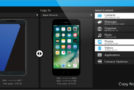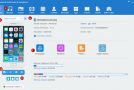
MOBILedit Phone Copier Express is a professional tool for transferring phone content. Easily transfer, back up, or restore contacts, messages, photos, videos, calendar entries, notes, tasks, applications, and settings between phones.
Easy transfers between phones
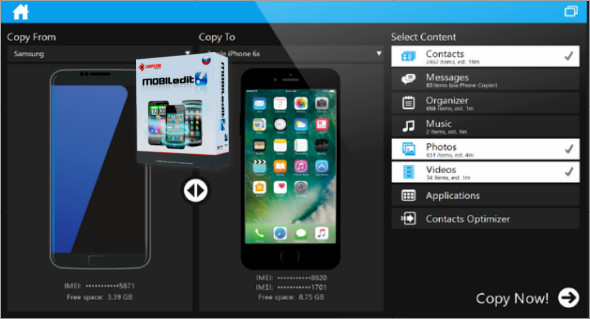
With Phone Copier Express, you can transfer the content of your phone to another device. Simply select the type of data you want to keep, click, and copy. Copy contacts, messages, calendar entries, photos, music, apps, and documents. Everything will be intelligently placed in the appropriate folders on your new phone.
Multi-platform transfer solution
Whether you're switching models or brands, take your important content with you. With Phone Copier, simply connect both phones to the USB port using a cable. Automatic detection will recognize both phones in seconds. Phone Copier Express identifies the transferable content based on your phone's brand and model. Its intelligent technology ensures you get as much content as possible onto your new phone.
Transfers all possible data
Easily transfer your contacts, messages, photos, videos, calendars, notes, tasks, apps, and settings between phones. The majority of phones are supported, including Android, iPhone, Motorola, Nokia, Siemens, Sony Ericsson, LG, Symbian, MeeGo, Windows Phone, Windows CE, Bada, and others.
Easy to connect a phone
There are some requirements for connecting a phone to a Windows computer, but you don't need to be a phone expert. The phone is usually detected automatically for immediate connection, and if not, the software manufacturer will provide simple instructions for a successful phone connection. You can also download the necessary device drivers to connect the phone to Windows.
Transfer the contents of your phone home
Would you trust your data in someone else's hands? Many mobile shops use insecure methods and tools to copy your data. So why let them see your data? Phone Copier lets you transfer anytime, anywhere, so you can skip that trip to the service provider. Transferring large amounts of data might take too long for shops, but it's no problem at home.
The transfers are fully encrypted.
Customers can trust the process. Transfers are direct and secure. No readable data is stored locally on a computer; during the transfer, everything is encrypted using the AES-256 algorithm and nothing is sent to the cloud.
Configuration:
– Windows (x32/x64 Bits): XP, Vista, 7, 8, 8.1, 10
– Processor: 1 GHz
– RAM: 1 GB
– Disk space: 1 GB
Language : English
Size : 159.0 MB
This article was updated on April 28, 2018