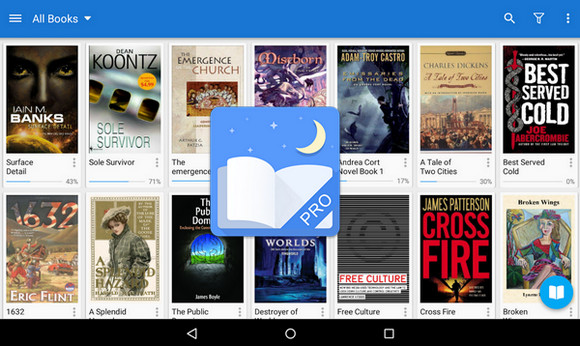
eBook reader with powerful controls and great features
– Read thousands of free eBooks, supported by online libraries (Stanza)
– Read your eBooks with smooth scrolling and tons of innovations
– Supports epub, pdf, mobi, chm, cbr, cbz, umd, fb2, txt, html, rar, zip or OPDS files, main functions
– Visual options: line spacing, font size, bold, italics, shaded, color transparency, gradient edges, etc.
– More than 10 themes included, with a Day & Night mode switch
– Various ways to change pages, including: touch controls, volume buttons, or even photo shutter buttons, "Search" or "Back" buttons
– 24 customizable functions (screen click, gesture learning, physical keys), which apply to 15 modifiable events: search, bookmarks, themes, navigation, font size and much more…
– 5 automatic scrolling modes: automatic scrolling; by pixel, by line or by page, real-time scrolling speed control
– Adjust screen brightness by swiping along the left edge of the screen; gesture control supported.
– “Smart” paragraph formatting: paragraph indentation, removal of unnecessary spaces and blank lines (optional)
– The “Take care of your eyes” option, indicating long reading times
– “Page turn” effect with customizable speed/color/transparency; 5 different animations
– Option to sort the local library by: Favorites, download, tags, cover, search, eBook import support
– Option to justify the text, "hyphenation" mode available
– Option to turn off the backlighting of the physical keys in night mode
– Display 2 pages in landscape mode
– Synchronize the reading position via Dropbox
– Highlighting, note-taking, dictionary (offline or online, supporting Google, ColorDict, GoldenDict, ABBYY Lingvo, Fora, etc.)
– Translation, full sharing functions in all Moon+ eBook readers
– Platform: Android 2.3 and above
- Language : Multilingual
- Size : 10.11 MB
This article was updated on October 21, 2016