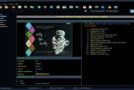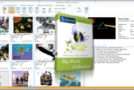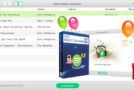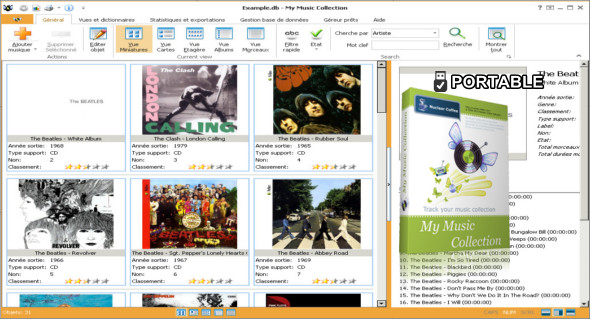
My Music Collection is a software that allows you to create, manage and organize a complete music collection with a large number of options, making it easy to access your music collection of any type, including CDs or MP3s.
Simply insert a disc, scan the barcode or extract the title, and My Music Collection will retrieve all album information from the Internet, including artist, title, release year, country, track titles, cover photo, etc.
A simple and intuitive interface lets you easily and quickly search and browse your music collection. You can sort albums by artist, release year, or even media type. My Music Collection allows you to view statistics in a table or use various graphs. Using a music database within the program, you can export your list to almost any common file format, including HTML, Excel, PDF, text, or XML. You can also download Full Discography.
Add any type of media automatically. With My Music Collection, you can add any type of media to your collection, including CDs, vinyl records (LP), mini-discs, MP3 audio files, or even cassettes.
Add albums simply by inserting a CD. Simply insert a CD into your CD player and this music organizer will automatically add it to your collection and retrieve all CD data from the internet.
Add CD albums by reading barcodes. To add an album to your collection, simply scan the barcode on the jewelry box with a barcode scanner.
Add albums manually. To add a cassette or vinyl record, you can enter all the information in the corresponding fields and select a cover image from a folder on your computer.
Obtaining information about CDs from the Internet. This software automatically imports album information from the internet, including artist, title, release date, cover art, etc. You can also choose which databases to search.
Online databases are used. All information about CD Vinyls can be retrieved from MusicBrainz, Amazon, Discogs.
Create a list. This CD organizer allows you to create a list of items you wish to purchase.
Search for albums by keyword. It is very easy to find albums in your collection, simply enter a keyword and select the fields to search.
Sort the items in your collection. Sort albums or tracks alphabetically, chronologically, or by any other field.
Filter and group albums in my music collection. Filter and group albums or tracks alphabetically, chronologically, or by any other field.
Print the list or export it in various formats. My music collection allows you to print a report or save it in HTML, Excel, PDF, text file or XML file format.
View statistics for your music collection. The CD archiving software also allows you to view collection statistics and generate a report. The report displays the total statistics for your collection and also allows you to view collection data grouped by different values (by artist, by year, by genre, by country, etc.).
Easily personalize my music collection. You can change the appearance of the application, the screen layout, select the Collection view, adjust the toolbars or add and remove fields.
Version : 2.3.15.158
Language : Multilingual (French included)
Size : 117.11 MB
Configuration:
– Windows (x32/x64 Bits): 7, 8, 10, 11
Download My Music Collection v2.3.15.158 + Portable
This article was last updated on August 17, 2025