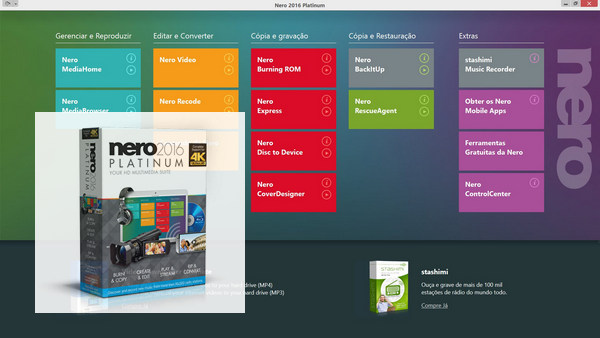
Nero 2016 Platinum – The best for your creativity!
Both reliable and innovative, Nero 2016 Platinum brings together a full set of new additional features for
burning, copying, creating, editing, playing, streaming, extracting and converting your multimedia files, with superior quality results on virtually any device!
Burn and copy
Cutting-edge technologies for lasting memories
Whether it's music CDs, DVDs or Blu-ray™ discs, professional photos of family events, or snapshots of your last night out taken with your smartphone, with Nero 2016 Platinum you can burn, copy, and create lasting backups of the media files and content you want to preserve. And the new design and printing templates let you personalize your DVD or audio CD cases!
CREATE AND EDIT
The 4K effect for stunning videos
After importing them from your cell phone, tablet, or camera, you can give your videos a creative touch and edit them in Nero using professional tools. Furthermore, the Full HD video preview function allows you to view your edits on one or two monitors. And if you really want to wow your audience with your slideshow, Blu-ray™ disc, or DVD, the Platinum package offers a comprehensive range of effects and templates.
READ AND SHARE
You have a choice of multimedia options.
Nero 2016 Platinum lets you enjoy your media files the way you want. You can view your photos, videos, and slideshows, listen to your music, and even reuse them for new projects. And not just on your PC or laptop, but also—thanks to streaming—on your mobile devices and other Wi-Fi® players. And that's just one of the advantages of the Nero Streaming Player app.
EXTRACT AND CONVERT
Break down barriers with Nero Platinum
Want to reuse DVDs, AVCHDs, or Blu-ray™ discs in a project? Simply extract the content* and convert it to the format you need. Even music videos can be transformed into audio CDs in a flash, with automatic sound enhancement.
PRODUCTS AVAILABLE IN NERO 2016 PLATINUM 17.0.04500
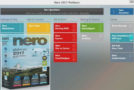
– Nero Launcher 2016, version 17.0.63000
– Nero Burning ROM 2016version 17.0.8000
– Nero CoverDesigner 2016, version 17.0.9000
– Nero Express 2016, version 17.0.8000
– Nero MediaHome 2016, version 1.36.3900
– Nero RescueAgent 2016, version 17.0.4000
– Nero Video 2016, version 17.0.17000
– Nero Recode 2016, version 17.0.14000
– Nero Disc to Device 2016, version 17.0.1010
Configuration:
– Windows (32/64-bit): 7 SP1 (Premium/Professional/Ultimate), 8, 8.1, 10
– Processor: 2 GHz
– Memory: 2 GB
– Hard drive: 5 GB of free space available
– Peripheral: CD/DVD/Blu-ray Disc burner installed correctly
Facility :
1. Disconnect from the internet (Important!)
2. If necessary, uninstall any previous version of Nero
3- Run “Nero2016_Platinum-17.0.04500.exe”
4- In the window "Nero 2016 requires that the items below be installed", click on "Install"
5- If the installation program requires downloading "dotNetFx40_Client_x86_x64.exe", re-establish the connection while the transfer is in progress.
6- If a computer restart is required, disconnect from the internet again before continuing the installation.
7- In the "Serial Number Validation" window, enter
8063-208M-C656-88HH-CH6L-3KUT-6WUM-WZ9C
Click on "Next"
8- Ignore the installation program, run "Nero 2016 – Patch+Serial+Fix [Astron] v3.exe" as administrator
9- To the question "Want to install with serial blacklisted?", answer "Yes".
10- Return to the installation program
11- In the "License Agreement" window, select "I accept the terms of this license agreement", click "Next"
12- In the "Ready to install Nero 2016" window, click on "Installation settings"
13- In the "Installation Settings" window, click on the disk icon next to "Nero Update", select "This function will not be installed.", click on "OK"
14- Back at the "Ready to install Nero 2016" window, uncheck "Always open multimedia files with Nero 2016"
15- To the question "Do you wish to participate in the Nero Product Improvement Program?", select "No thanks", click "Install"
16- In the "Nero 2016 InstallShield Wizard complete" window, uncheck "Enable automatic update notification" and click "Finish".
17- Close the "install.nero.com" internet window that opens automatically
18- Run "Nero 2016 – Patch+Serial+Fix [Astron] v3.exe" again as administrator
19- To the question “Want to install with serial blacklisted?” ”, answer “No”
20- To the question "Fix Nero 2016?", answer "Yes"
21- Close the "Nero 2016 is OK!" window by clicking "OK"
22- Close the "Nero ControlCenter" window by clicking on "Close"
23- Run “Nero2016_ContentPack.exe”
24- To the question "Do you wish to participate in the Nero Product Improvement Program?", select "No thanks", click "Install"
25- In the "Nero 2016 InstallShield Wizard complete" window, uncheck "Enable automatic update notification" and click "Finish".
26- Reconnect to the Internet, the installation is complete!
- Language: Multilingual (French included)
- Size: 1.0 GB
This article was updated on November 2, 2017