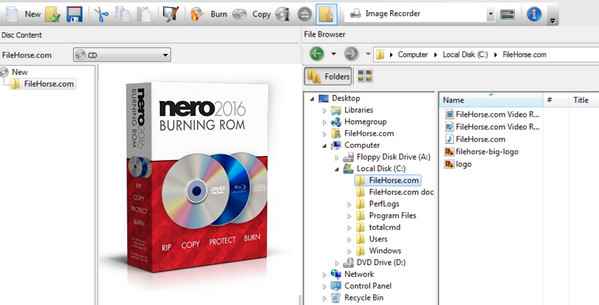
Nero Burning ROM: "The standard" for burning everything!
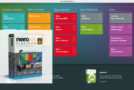
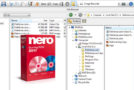
Need to copy, import, edit, or permanently back up your files? Nero Burning ROM can do all that and much more. Thanks to state-of-the-art burning technology and a wide range of features, both new and traditional, you can transform CDs, DVDs, and Blu-ray™ discs into personalized keepsakes in just moments.
EXTRACT
The right format for every situation
You can convert your audio CDs to the format of your choice. MP3, AAC, FLAC, or APE—you'll be amazed by the quality. And that's not all: Nero Burning ROM automatically includes track titles, band and orchestra names, and a host of other details!
COPY
The ultimate in copying
Want to make copies of your important content? Or share your favorites? Whether it's musical memories or a video from your last vacation, creating copies of your CDs, DVDs, and Blu-ray™ discs couldn't be easier. Nero guarantees superior quality, supports CD text, and produces perfect disc covers with the original text!
ENGRAVE
A love of detail
Don't take risks. Instead, trust the reliability of Nero's burning technology for your CDs, DVDs, and Blu-ray™ discs, as well as your videos, photos, and more. You can even burn files directly from your smartphone or tablet! Burn music videos directly to audio CDs and discover features like automatic sound enhancement, audio filters, and other tools for impressive sound and visual results.
PROTECT
Remembering the good times
Thanks to SecurDisc technology, your CDs, DVDs, and Blu-ray™ discs will last for years to come. What's more, they'll bear your electronic signature, so everyone will know you own the copyright. If your data CDs contain sensitive information, password-protecting them provides an extra layer of security.
Supported media
CD-R, CD-RW
DVD±R, DVD±RW, DVD-RAM, DVD±R DL
BD-R, BD-RE, BD-R DL, BD-RE DL
BD-R TL (BDXL), BD-RE TL (BDXL), BD-R QL (BDXL), BD-RE QL (BDXL)
Supported disk formats
Data CD (ISO, UDF, ISO/UDF)
Data DVD (ISO, UDF, ISO/UDF)
Blu-ray data disc (ISO, UDF)
SecurDisc CD/DVD/Blu-ray Disc
Nero DiscSpan (UDF)
Audio CD
CD Mixed Mode
CD EXTRA
Image Nero (NRG)
Image CUE -> Import only
Image IMG -> Import only
ISO image
DVD-Video
AVCHD video
BDMV Video
Supported playlist formats
Moving Picture Experts Group Audio Layer 3 Uniform Resource Locator/MP3 URL (M3U)
Moving Picture Experts Group Audio Layer 3 Uniform Resource Locator/MP3 URL + UTF-8 (M3U8)
Playlist file format (PLS)
Configuration:
– Windows: XP, Vista, 7, 8, 8.1, 10
– Processor: 2 GHz
– Memory: 1 GB
– Hard drive: 500 MB of free space available
– Peripheral: CD/DVD/Blu-ray Disc burner installed correctly
Facility:
1. Disconnect from the internet (Important!)
2. If necessary, uninstall any previous version of Nero
3- Run “Nero_BurningROM2016-17.0.00700.exe”
4- In the window "Nero BurningROM 2016 requires the following items to be installed", click on "Install"
5- If a computer restart is required, disconnect from the internet again before continuing the installation.
6- In the "Serial Number Validation" window, enter
805M-20CA-2H94-EX72-0099-5E9W-A955-MZT4
Click on "Next"
7- Ignore the installation program, run "Nero 2016 – Patch+Serial+Fix [Astron] v3.exe" as administrator
8- To the question "Want to install with serial blacklisted?", answer "Yes".
9- Return to the installation program
10- In the "License Agreement" window, select "I accept the terms of this license agreement", click "Next"
11- In the "Ready to install Nero BurningROM 2016" window, click on "Installation settings"
12- In the "Installation Settings" window, click on the disk icon next to "Nero Update", select "This function will not be installed.", click on "OK"
13- Back at the "Ready to install Nero BurningROM 2016" window, uncheck "Always open multimedia files with Nero BurningROM 2016"
14- To the question "Do you wish to participate in the Nero Product Improvement Program?", select "No thanks", click "Install"
15- In the "Nero BurningROM 2016 InstallShield Wizard complete" window, uncheck "Enable automatic update notification" and click "Finish".
16- Close the "install.nero.com" internet window that opens automatically
17- Run "Nero 2016 – Patch+Serial+Fix [Astron] v3.exe" again as administrator
18- To the question “Want to install with serial blacklisted?” ”, answer “No”
19- To the question "Fix Nero 2016?", answer "Yes"
20- Close the "Nero 2016 is OK!" window by clicking "OK"
21- Close the "Nero ControlCenter" window by clicking on "Close"
22- Reconnect to the internet, the installation is complete!
- Language: Multilingual (French included)
- Size: 125.0 MB
This article was updated on September 28, 2016