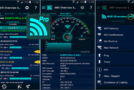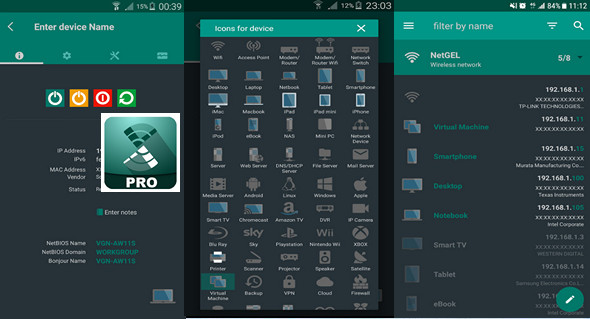
Network scanning: discovers all devices connected to the network.
– Displays the most important information for each connected device: IP address, MAC address, provider, NetBIOS name and domain.
– Wake On LAN (WOL): turn on a remote device from your phone or tablet when connected via Wi-Fi or mobile data connection.
– Secure Shell (SSH): put a remote device into sleep mode or turn off your phone or tablet when connected via Wi-Fi or mobile data connection.
– Displays the version of the operating system installed on the remote device. (An SSH server must be installed and running on the remote device.)
– Charges offline all devices on a previously detected network.
– Add a new network or device manually in order to manage all the features of an undetected device.
– Displays information about the wifi connection (external IP, signal strength, download and upload speed, subnet mask, gateway, DNS).
– Displays information about the mobile service provider (external IP, signal strength, download and upload speed, CID, LAC, MCC, MNC).
– Wifi scan: searches for nearby wifi and displays SSID, signal strength, channel, encryption.
– Graphically displays the bandwidth and overlap between wifi network channels.
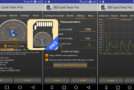
– Monitoring and diagnostics of remote devices: displays CPU usage, RAM usage and shows available disk memory.
– Monitor Wi-Fi network access. Receive a notification when a new or unknown device connects to the network.
– Ping functionality. It is possible to ping all connected devices and any hostname or IP address.
– Port scanner to scan the most commonly used port.
– Available themes.
– Available languages: Czech, German, Greek, English, Spanish, French, Italian, Dutch, Polish, Portuguese, Russian, Turkish and Chinese.
PRO version:
– Traceroute shows the route of packets sent from the smartphone to the target host. The route can also be viewed on the map.
– IP Calculator: This tool calculates network parameters such as network mask, CIDR, host number of IP address range, etc.
– The IP location indicates the position of the IP address on the map.
– MAC address lookup allows you to obtain the MAC address provider.
– DNS lookup allows you to obtain the IP address of the domain, mail server, etc. Reverse DNS is supported.
– The network position displays the position on the map of the analyzed network.
– Backup/Restore data to the local folder or with Google Drive.
– Speed test: this tool calculates download speed and upload speed.
Version 3.2.2.0 Pro
Compatibility Android 4.1 or later
Language Multilingual
Size : 5.0 MB
This article was updated on July 31, 2017