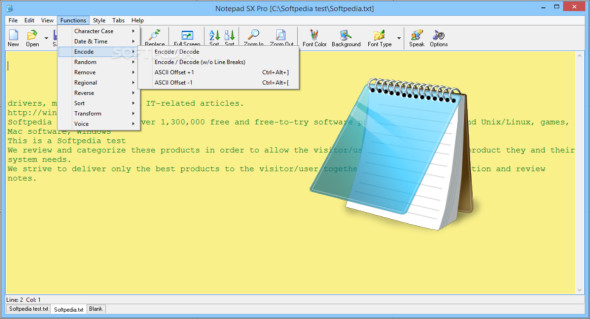
NotePad SX Pro is a simple, fast, stable, user-friendly, multi-document, tabbed text editor. It lets you experience the power of plain text editing with many additional capabilities.
Features :
– Tabbed multi-document interface
– Full screen mode
– Stay at the top of the mode
– Access your recent files in one click
– Choose the font style, font color, and background color, save and restore with one click
– Access popular font configurations with one click
– Custom colors (16 million+ colors)
– XP window style, all fixed fonts and TrueType fonts supported
– All standard text editor functions: Cut, Copy, Paste, Delete, Find, Replace, Undo, Select All, Go to New Line
– Can hide the toolbar and main menu
– Save all open documents in one click
Export the text file as HTML and preview it in your default browser.
– Print using the current font style
– Case conversion functions: lowercase, uppercase, iNVERT, random case, fUn case, normal case, uppercase — using ANSI conversion routines (also works with regional fonts).
– Modify the ASCII offset for the current text (may be useful for finding the correct encoding)
– Remove blank lines, split lines, remove HTML/XML tags, leave only the HTML/XML tags
– Reversed lines, reversed strings, reversed text
– Sort lines alphabetically, Sort in descending order, Sort by line length
– Additional features include date and time of insertion, text encoding/decoding, and the addition of random numbers/texts.
Configuration:
– Windows (x32/x64 Bits): XP, Vista, 7, 8, 8.1, 10
– Processor: 1 GHz
– RAM: 1 GB
Language : English
Size : 0.8 MB
This article was updated on September 22, 2018