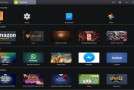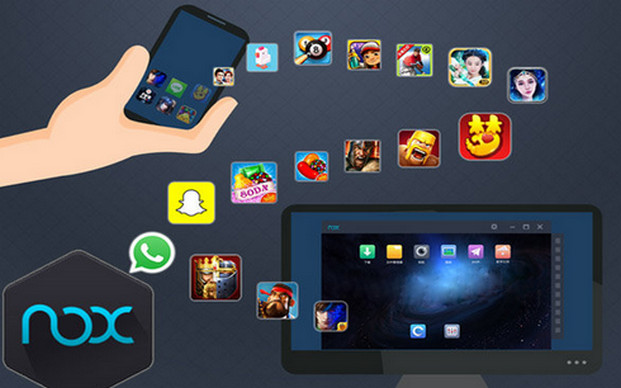
Nox App Player is a dedicated Android emulator that lets you enjoy Google's mobile operating system on your PC. With this program, you can run Android on your computer and use Android apps.
Benefits Nox App Player is based on the Android 4.4.2 kernel and is compatible with Windows 10. Unlike typical solutions, Nox App Player natively integrates the Google Play Store, allowing you to search for and install Android applications within the emulator.
Simple installation Very easy to install, Nox App Player requires no special technical knowledge to use or configure. The Android environment loads automatically and displays the Android home screen on your computer exactly as if it were a dedicated mobile device.
PerformanceNox App Player also features an APK manager. This allows you to easily import APK files from your PC to the Android virtual machine. Finally, while Nox App Player initially displays in landscape mode, like on a tablet, you can easily switch to a mobile-style display in the software settings.
Details :
The Google Play Store is already integrated, so there's no need to download or integrate it again.
With just one click, you can open unlimited multiplayer windows.
No need to download APK files if you already have them on your PC. Simply drag and drop them into Nox App Player and enjoy!
Customizing CPU, RAM, and resolution is now possible with the Nox Player App. Bluestacks still does not offer this option.
You can easily save Nox data to your computer itself.
The latest update added an On/Off button for Root mode.
Capture an image in Nox and it will be automatically saved to your PC
Record videos of anything you want in this emulator.
This update to the Nox Reader app allows you to customize the sidebar options… etc.
Configuration
– Intel dual-core or AMD processor with a minimum speed of 2.2 GHz!
– 2 GB RAM
– Hard drive with 3 GB of free space
– Screen with a minimum resolution of 1024×768
– Video card with DirectX and advanced 3D compatibility
– Audio card (any)
– Depending on the .NET Framework version 3 or higher
Facility
Run: nox x86 x64.exe
At the end of the installation (see the photo: drivers (drivers).jpg), this driver must be installed!
- Language: English
- Size: 253.42 MB
This article was updated on July 21, 2016