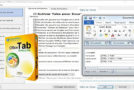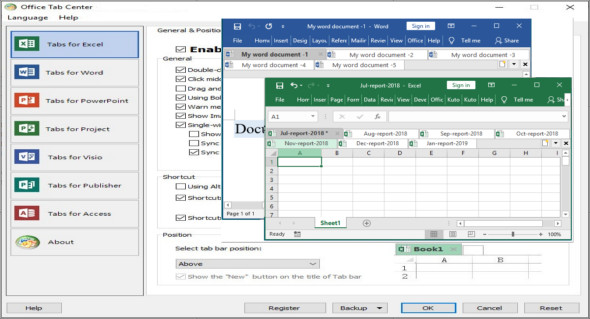
Office Tab is an excellent add-on for MS Office that lets you open Office documents in a single tab, similar to Google Chrome, Firefox, etc., allowing you to quickly view and edit documents. It brings the tabbed interface to Microsoft Office 2003, 2007, 2010, 2013, 2016, 2019, 2024, and Office 365 (including Excel, Word, PowerPoint, Access, Publisher, Project, and Visio). You can also use Macabacus for Microsoft Office.
The main feature of Office Tab is that it saves you time by integrating your actions! For example, if you open multiple files, you don't need to save and close them individually; simply click "Save All" in the context menu to save all your files. You can also quickly open a set of documents or a group of Excel files, and so on. With this favorites group feature, you can easily apply the following operations to a set of documents within Microsoft Office applications.
The tabbed interface lets you open multiple documents in a single window. Each document appears as a new tab within the window (not a separate window) and is accessible with a single click. This feature improves your efficiency when working with Microsoft Office programs (Word, Excel, PowerPoint, Project, Publisher, Access, and Visio). Tabs can be easily moved by dragging them. You can switch between tabs using the mouse or activate a tab by pressing Alt + N ("N" corresponds to the tab order "1, 2, 3…").
Office Tab Feature
– Open Office documents in a single tab
– Save everything in one click
– Managing documents in groups
– Rename files easily
– Displays the full file name
– Useful context menu
– Easy to use
– High performance
– Move the tabs
– Customize the appearance of the tab
Version : Pro 18.00
Language : Multilingual (French included)
Size : 24.88 MB
Configuration:
– MS Office: 2003..2024
– Windows (x32/x64 Bits): 7, 8, 8.1, 10, 11
Download Office Tab Pro v18.00
This article was last updated on June 13, 2025