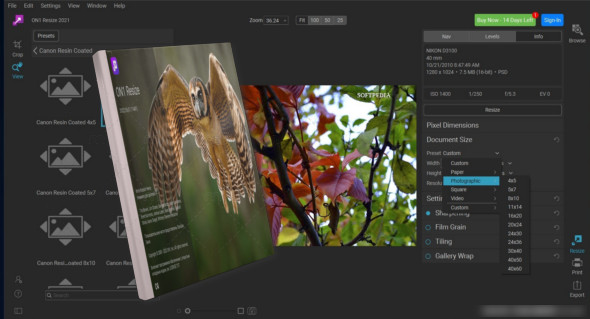
ON1 Resize is the photo editor for when you need to enlarge images without losing quality. You can enlarge images using Genuine Fractals technology and achieve the best quality. The new version includes performance improvements and new features that make resizing images easier and faster without sacrificing sharpness and detail.
You can quickly resize images without any loss of quality or resolution. ON1 Resize also includes one of the fastest ways to view, delete, and edit photos. It's a new starting point for your business's editing and resizing process.
The gallery wrap feature creates extended margins to wrap your photo around wooden stretcher bars for canvas prints. You have the option to stretch or mirror areas near the edge of your photo. Create a perfect gallery wrap and don't lose any part of the image.
Print individual photos, contact sheets, a wall portrait, or create a mosaic of multiple photos for packaging prints. Additionally, print multiple photos on a single sheet of paper to create packages such as 2 5x7 or 4 4x5, and add watermarks and refine the photos before sending them to print. You can also use Light Image Resizer.
Features of ON1 Resize
– Zoom in and print photos with the highest quality.
– Highest quality photo enlargements.
– Enlarge images without loss of quality.
– Featuring Genuine Fractals technology
– Create extended margins to wrap around your photo
– Print like a pro.
– Add watermarks and refine the photos.
– Print several photos on a single sheet.
Version : 20.3.0.18187 /Mobile: 20.0.0.17265
Language : Multilingual (French included)
Size : 189.55 MB / Laptop: 327.67 MB
Configuration:
– Windows (x64 Bits): 7, 8, 8.1, 10.11
Download ON1 Resize AI 2026.3 v20.3.0.18187
Download ON1 Resize Portable 2026 v20.0.0.17265
This article was updated on February 24, 2026