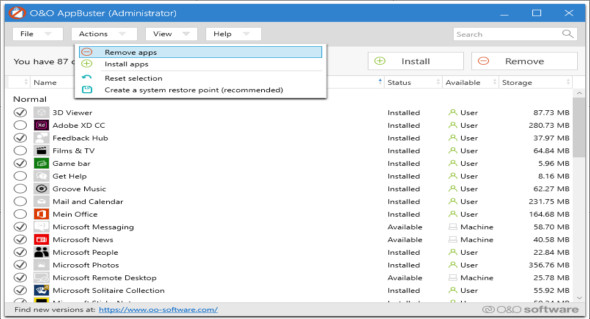
Take back control of Windows 10 with the help of O&O AppBuster. Uninstall unwanted pre-installed Microsoft apps (including hidden ones) and remove Windows 10 apps without needing to be a pro. The app is standalone, easy to use, and doesn't require installation or administrator privileges.
When setting up Windows 10, Microsoft installs not only the operating system but also a whole range of additional applications, some useful, others unnecessary. O&O AppBuster lets you remove unwanted applications easily and quickly. Or, if you accidentally uninstalled one of these applications, you can also recover it with a single click.
With its clear interface, O&O AppBuster shows you which Microsoft apps included with Windows 10 are installed on your computer and which you can install on demand. Even hidden apps are displayed here.
Features :
– Uninstall the applications pre-installed by Microsoft
– Reinstall the applications that were accidentally deleted.
– Undo changes at any time by creating a system restore point.
– Portable, no installation required.
– Supports all versions of Windows 10.
Configuration :
– Windows (x32/x64 Bits): 10
– Processor: 1 GHz
– RAM: 1 GB
Language : English
Size : 1.1 MB
This article was updated on February 24, 2019