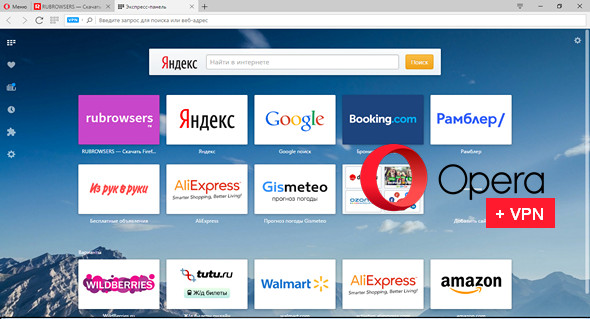
Opera is the fastest and most flexible web browser, featuring tabbed browsing, pop-up blocking, and integrated search. It uses themes, custom panels, and other interface configuration tools to personalize its appearance beyond recognition.
The web browser features an intuitive and powerful interface for searching and browsing the web. Search using multiple providers and see website suggestions as you type. Opera also includes advanced features such as Opera Mail, the lightweight and customizable email client that enhances your email experience.
A secure browser protects you from fraud and malware on the web. Want more online privacy? Try the free, unlimited VPN feature.
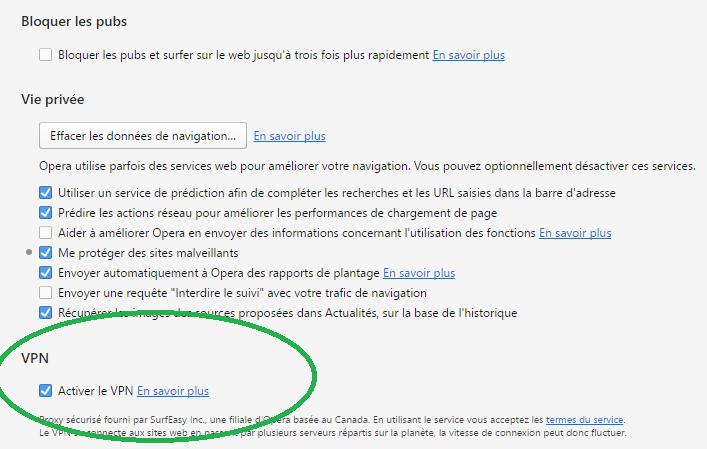
To activate the free VPN in Opera, go to parameters browser and check the box Activate VPN in the section Privacy and security.
Main features:
• The process of accessing your favorite sites using Speed Dial
• Unlimited and free VPN function
• Fraud protection
• BitTorrent Client
• Add your search engine
• Display thumbnails of open pages
• The settings for each site separately
• The use of widgets
• New edition
• Download Manager
• Navigation tab
• Password Manager
• Integrated search
• Pop-up blocker
• Mouse gestures
• Fast forward
• Quick setup by pressing F12
• Voice control
• "Hot" keyboard
• The bin'
• Supports data protection protocol, SSL protocol, version 3 and TLS 1.0 and 1.1
• 256-bit encryption
• Deletion of personal data
• Opera browser email
• IRC-Chat
• Drag and drop support
Configuration:
– Windows (x32/x64 Bits): XP (No VPN), Vista, 7, 8, 8.1, 10
– Processor: 1 GHz
– RAM: 512 MB
– Disk space: 100 MB
Facility :
Launch the installation that corresponds to your system SetupX64 Or SetupX86
Language Multilingual (including French)
Size : 78.0 MB
This article was updated on May 10, 2017