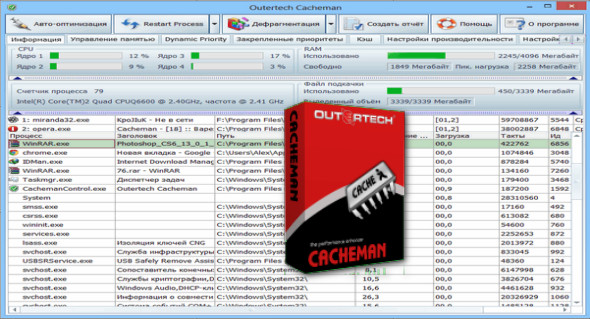
Outertech Cacheman is a powerful system optimization software that offers you the best way to speed up your Windows. It allows you to control all the tools that improve Windows performance, such as adjusting registry settings, speeding up the PC by modifying priority processes, and managing computer memory (RAM).
You can speed up your computer using the one-click auto-optimization feature. Automatic optimization makes the program suitable for all users, from beginners and inexperienced users to those with sufficient power and versatility for IT experts. You can use optimization by selecting your settings profile. Individual optimization profiles include desktop, laptop, notebook, server, maximum stability, desktop, workstation, digital audio, graphics workstation, CAD workstation, and Windows tablet.
Internet Accelerator
Cacheman also functions as an Internet accelerator by optimizing Firefox/IE DNS cache settings and Internet Explorer server connection settings.
Speed up your PC by optimizing the cache
You can use automatic optimization to get the best settings for all cache parameters. Alternatively, each tweak can be configured manually.
Managing computer memory (RAM)
Cacheman takes memory management to the next level. You can define which applications are most important to you.
Manage running applications
Cacheman can also display a list of loaded Windows processes (system applications and services) as well as detailed information, including RAM and CPU usage.
Define process priority permanently
Cacheman offers the ability to permanently set process priority, so that it survives program restarts and even computer restarts. This feature is called sticky priority.
Display free RAM and CPU usage
Cacheman can display from 1 to 5 icons in the Windows taskbar. In the Options tab, you can configure which system information to display. You can also change the type (graphic, block, number) and colors of the taskbar icon display.
Version : 10.60.0 /Portable: 10.70.0.4
Language : Multilingual (French included)
Size : 7.50 MB / Portable: 19.18 MB
Configuration:
– Windows (x32/x64 Bits): XP, Vista, 7, 8, 8.1, 10
Outertech Cacheman Portable 10.70.0.4
Outertech Cacheman 10.60.0
This article was updated on January 10, 2021