Have you ever had this kind of experience where a PDF (Adobe Acrobat) cannot be printed, copied, or edited?
If so, it's because the PDF file is password-protected and has other restrictions added. PDF Decrypter Pro can help you remove the password and restrictions in seconds. This program is compatible with Windows.
PDF Decrypter Pro is lightweight and extremely easy to use. It's an application designed to help you quickly remove usage restrictions from PDF files. Most PDF documents have a "proprietary password," making them uneditable.
This small application helps you remove restrictions on printing options or the selection of text and graphics. These removable restrictions also include modifying or adding annotations to the content of the PDF file, and you can also add form fields that are not in the original file.
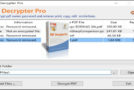
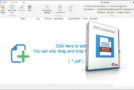
The user interface is clean and comprehensive, grouping only the buttons necessary to achieve the utility's main purpose. Furthermore, there is no limit to the number of files you can add to the list in the application's main window.
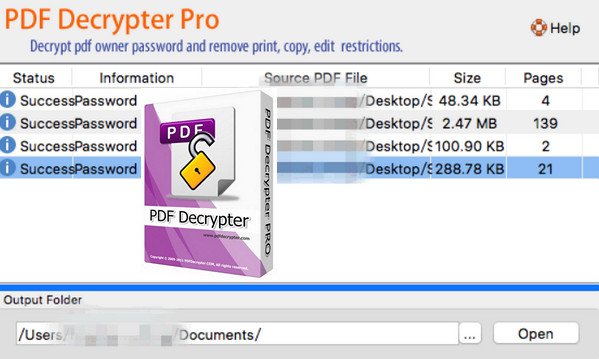
Simply upload the file to the application and it will be processed instantly. After decryption, the application displays a message in the "Result" column, updating the process status.
There are several types of encryption that this small application can remove. PDF Decrypter Pro allows you to remove 40-bit RC4 decryption, 128-bit RC4 decryption, and AES decryption. Furthermore, you can remove modification restrictions from compressed files and access unencrypted metadata.
This application does not require the installation of third-party applications, and also supports all versions of Adobe Acrobat.
Overall, PDF Decrypter Pro should be appreciated for its efficiency in allowing you to remove all editing limitations from your PDF documents in seconds.
Configuration:
– Windows (32-bit & 64-bit): XP, 7, 8, 8.1, 10
– 500 MHz processor
– 512 MB of available RAM
– 50 MB of free hard drive space
Facility :
-Software already pre-registered.
1. Launch pdfdecrypterpro.exe
- Language: English
- Size: 12.4 MB
This article was updated on October 17, 2016