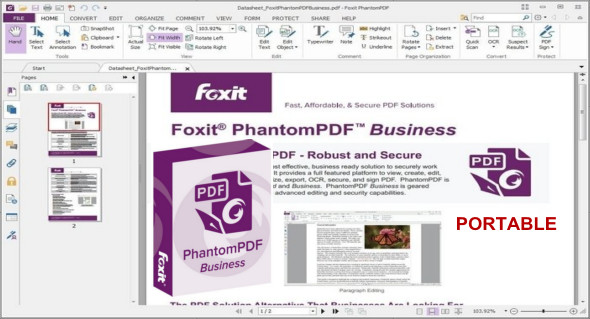
Foxit PhantomPDF Business is a ready-to-use PDF toolkit for creating professional-quality PDF documents and forms. You can use it for tasks such as developing personal documents, implementing team collaboration, and designing business templates.
Foxit PhantomPDF lets you quickly create stunning, high-quality, and secure PDF documents and forms. Foxit PhantomPDF can combine, split, or repackage multiple PDF files. Documents can be merged or split based on page numbers, page borders, or bookmarks.
Furthermore, this suite can convert existing documents into one or more PDF files, making it the ideal solution for home offices, small businesses, and large corporations. Foxit PhantomPDF in this version is suitable for the diverse use cases required by different users. You can also use PDF-XChange Pro.
Key features of PhantomPDF Business:
– Create PDFs up to 3 times faster from over 200 of the most common office file types and convert multiple files to PDF format in a single operation.
– Create a PDF document in one click from Microsoft Office applications such as Word, PowerPoint and Excel.
– Advanced PDF editor that allows you to modify the page content of any PDF document, select, insert, edit, delete, rotate, copy and paste text, images, graphics and shading.
– You can use password protection tools, certificate encryption and digital signatures.
– Form design. Easy-to-use electronic form design tools to make your office forms more efficient.
– Create or convert static PDF files into professional-quality forms.
– PhantomPDF Business Portable
– And more features
Version : Business 10.1.4.37651 / Portable: Business 10.1.0.37527
Language : Multilingual (French included)
Size : 696.30 MB / Laptop: 633.33 MB
Configuration:
– Windows (x32/x64 Bits): 7, 8, 8.1, 10
Foxit PhantomPDF Business 10.1.4.37651
Foxit PhantomPDF Business Portable 10.1.0.37527
This article was updated on May 7, 2021