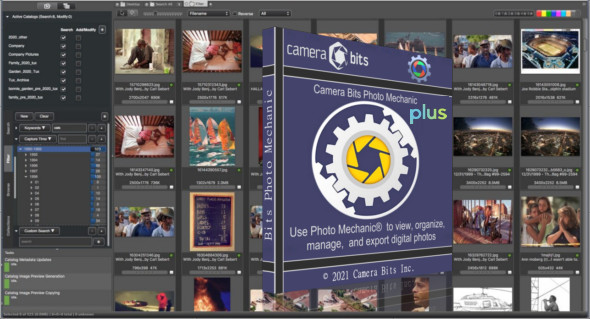
Photo Mechanic Plus is a powerful application for viewing, organizing, managing, and exporting digital photos. It also provides a variety of powerful tools for editing and processing media files. You can also use FastStone Image Viewer.
Camera Bits Photo Mechanic comes with a suite of professional tools for editing and managing digital images. It's a simple and straightforward application with clear tools and options that make managing and organizing digital images easy. Use collections to combine images from multiple folders or drives into coherent units to stay organized or present to clients.
You can easily manage and browse media files and work with RAW files. The search function gives you the power to perform simple or complex searches to find what you're looking for across multiple drives. Browse by date, camera, lens, rating, color class… anything you need!
Features of Photo Mechanic Plus
– A complete application for processing multimedia files
– Simple and straightforward application with explicit options
– Supports the viewing, organization, and management of multimedia files accordingly
– Provides a reliable solution for editing multimedia files instantly
– Supports RAW photo processing and image management accordingly
– Supports batch processing to handle multiple images simultaneously
– Allows users to add multimedia files to digital images and process the photos accordingly
– Adding a meta description to the photos and editing the images as needed
– Provides support for selecting, organizing, and adding meta descriptions to photos
– Batch editing of photos and support for moving, copying and replacing media files
– Add GPS coordinates and other types of information to images
– Exporting images in many available formats
Version : Plus 6.0 Build 6738
Language : English
Size : 323.80 MB
Configuration:
– Windows (x64 Bits): 7, 8, 8.1, 10, 11
Photo Mechanic Plus 6.0 Build 6738
This article was updated on January 19, 2023