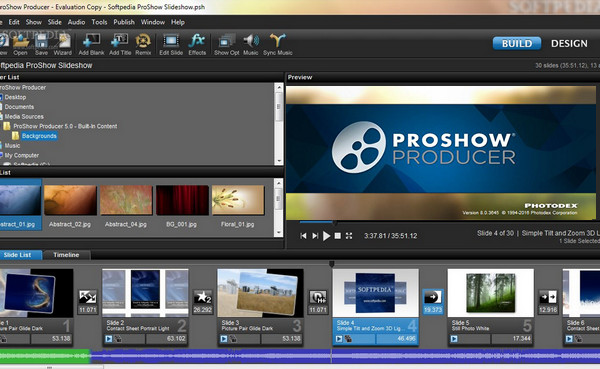
Impress your friends and family by creating professional-quality slideshows and presentations. Thanks to its intuitive and user-friendly interface, ProShow Producer is accessible to everyone.
Drag and drop photos and videos onto the slide list to integrate them into your presentation.
Add as many layers as you like to create unique edits, then insert transition effects. ProShow Producer supports over 100 image formats (including RAW) and ensures
Recording in HD, Flash, QuickTime, Blu-ray, etc. formats.
Supported Media Types:
DVD+R, DVD+RW, DVD+R DL, DVD-R, DVD-RW, DVD-R DL, CD-R, CD-RW, BD-R, BD-RE
Configuration:
Windows: 7 / 8 / 8.1 / 10 x32/x64
1 GHz processor (multicore or multiprocessor CPU recommended for HD)
Video graphics card supporting OpenGL 3.0 or higher.
GPU-accelerated for Nvidia CUDA cards
512MB or more recommended for HD.
2 GB RAM (4 GB RAM recommended for HD)
Facility:
– Turn off your internet connection
– Uninstall the old version
– Delete the folders
C:/Program Files (x86)/Photodex
C:/Program Files (x86)/Photodex Presenter
C:/ProgramData/Photodex
C:/Users/ »Username »/AppData/Roaming/Photodex
C:/Users/ »User Name »/AppData/Local/VirtualStore/Program Files (x86)/Photodex/ProShow Producer
– Remove the Proshow entries from the registry
HKEY_CURRENT_USER/Software/Photodex
HKEY_LOCAL_MACHINE/SOFTWARE/Wow6432Node/Photodex Presenter
– Install ProShow as administrator (Right-click -> Run as administrator)
– Do not restart
– Open ProShow in Demo mode and then close it completely
– Copy the patch to the folder where ProShow is installed
Normally :
For Win64
C:/Program Files (x86)/Photodex/ProShow Producer
OR
For Win32
C:/Program Files/Photodex/ProShow Producer
– Before applying the patch, check that the proshow.cfg and proshow.phd files are not present. If one or both are present, delete them.
– Run the “ProShow Producer 8.0 Activator.exe” patch as administrator (Right-click -> Run as administrator)
– Continue, you should get a following question:
“The file already exists… Saying yes
– Run the Reg.reg file
(Right Click -> Merge)
– Restart the PC
– Right-click on the ProShow Producer shortcut
-> "Compatibility" tab
And check "Run this program as administrator"
– Launch ProShow…
– Disable automatic updates
Menu -> Edit -> Preferences -> "Miscellaneous" tab
Uncheck -> Update Control
– Block with the firewall
– Reconnect to the internet.
- Language: French / English
- Size: 78.17 MB
This article was updated on September 8, 2016