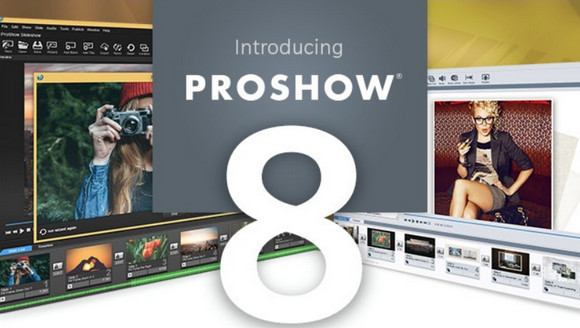
Proshow Producer software is THE software that allows you to create fantastic professional video montages from photos, videos, texts and music pieces of all formats.
You're probably already familiar with video editing software, but once you try ProShow Producer, you'll be convinced it's on a completely different level. It's worth noting that television networks (among others) use ProShow Producer to create commercials.
ProShow Producer supports over 100 image formats (including RAW), video, music files, and ensures the creation of edits in 4K, HD, Flash, Quicktime, BluRay, mobile devices, tablets, Screen savers, etc.
Supported Media Types:
DVD+R, DVD+RW, DVD+R DL, DVD-R, DVD-RW, DVD-R DL, CD-R, CD-RW, BD-R, BD-RE
Configuration:
– Windows (x32/x64 Bits): 7, 8, 8.1,10
– Processor: Pentium 1 GHz
– RAM: 1 GB
– Disk space: 200 MB
– Video graphics card supporting OpenGL 3.0
Facility :
– Turn off your internet connection
– Uninstall the old version
– Delete the folders:
C:/Program Files (x86)/Photodex
C:/Program Files (x86)/Photodex Presenter
C:/ProgramData/Photodex
C:/Users/ »Username »/AppData/Roaming/Photodex
C:/Users/ »User Name »/AppData/Local/VirtualStore/Program Files (x86)/Photodex/ProShow Producer
– Remove Proshow entries from the registry:
HKEY_CURRENT_USER/Software/Photodex
HKEY_LOCAL_MACHINE/SOFTWARE/Wow6432Node/Photodex Presenter
1- Install ProShow as administrator (Right-click -> Run as administrator)administrator)
2- After installation… Do not restart and do not open ProShow…
* Before applying the patch, check that the file is not present. proshow.cfg And proshow.phd If there is one or the other, or both, delete-the (the)
3- Copy KeyfilemakerPRO.exe in the ProShow directory:
* For Win64
C:/Program Files (x86)/Photodex/ProShow Producer
* For Win32
C:/Program Files/Photodex/ProShow Producer
4- Execute KeyfilemakerPRO.exe as administrator (Right-click -> Run as administrator)administrator)
5- Enter any name and generate…
6- Copy ProShow Producer v8.0.3648 – Patch.exe in the ProShow directory:
* For Win64
C:/Program Files (x86)/Photodex/ProShow Producer
* For Win32
C:/Program Files/Photodex/ProShow Producer
7- Execute ProShow Producer v8.0.3648 – Patch.exe as administrator (Right-click -> Run as administrator)administrator)
6. Restart the PC
8- Right-click on the shortcut of ProShow Producer
9- -> Tab « Compatibility And check the box Run this program as administrator"
10- Launch ProShow…
11 – Disable automatic updates Menu -> Edit -> Preferences -> Tab " Miscellaneous " Uncheck -> Checking for updates
12 – Block with the firewall
13- Reconnect to the Internet.
* The French patch is in the folder « ProShow Producer v8.0_Patch EN » + READ.txt
- Language : French – English
- Size : 56.7 MB
This article was updated on November 22, 2016