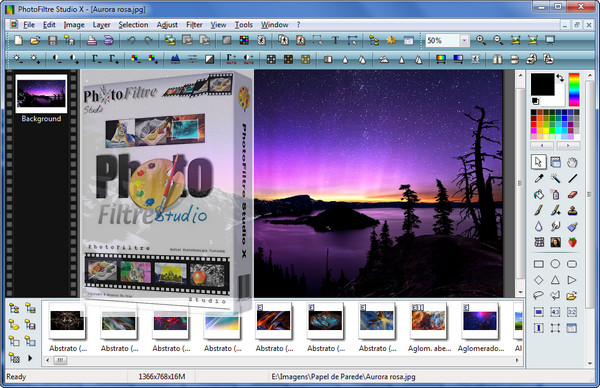
PhotoFiltre allows you to apply graphic filters to images. Unlike the overly complex image editing software that some programs can be, PhotoFiltre focuses on filters and is therefore much lighter. It includes classic filters such as brightness, contrast, color balance, rotation, resizing, and cropping. It also offers more specific filters like hardening, adding noise, drawing effect, plaster effect, and texture application. In total, there are 100 different filters, and the software allows you to automate their application to a large number of images. If all this isn't enough, Antonio Da Cruz also offers PhotoFiltre Studio, a paid version of the software that provides numerous improvements, including a major one: layer management! Also included are an expanded toolbar and many new tools such as automatic transparent gradient, red-eye removal, selection merging/subtraction, and automatic Windows icon generation.
Configuration:
– Windows: XP, Vista, 7, 8, 8.1, 10 (32-bit or 64-bit)
– CPU: Intel Pentium III / AMD Athlon (Intel Pentium 4 / AMD Athlon XP recommended)
– RAM: 512 MB (1 GB recommended)
– HDD: 310 MB (1 GB recommended)
Facility:
Installer version:
1.Install pfsx-setup-fr-10.11.0
2. Open Photofiltre
3. In the menu bar, go to ? then Recording
4. Register with the Keygen
Portable version:
1. Launch pfstudiox.exe
2. Open Photofiltre
3. In the menu bar, go to ? then Recording
4. Register with the Keygen
Installation Additionals:
*Predefined selections: Copy the contents of the folder and paste them into the "Selections" folder (Photofiltre installation folder)
*Masks: Copy the contents of the folder and paste them into the "Masks" folder (Photofiltre installation folder)
*Patterns: Copy the contents of the folder and paste them into the "Patterns" folder (Photofiltre installation folder)
Plugin Installation:
1. Launch PPP_III-fr
2. Choose Photofiltre Studio X
3. Select the Photofiltre Studio X installation folder
4. Follow the procedure
- Language: French
- Size: 82.49 MB
This article was updated on September 3, 2016