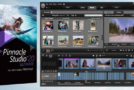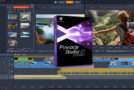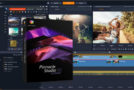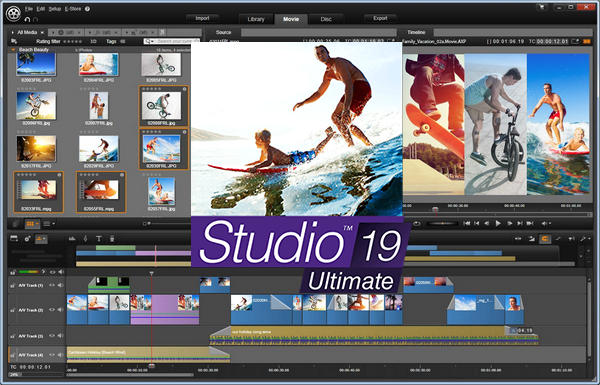
Pinnacle Studio 19 Ultimate
– New! Multi-camera editing
– New! Dialogue and background sound are balanced with voice prioritization.
– New! Optimized for Intel's 6th generation processors
– New! Top-of-the-line NewBlue effects
– Improvement! Live Screen Capture
– Ultra HD 4K support including XAVC S format
– Over 2,000 effects, transitions and templates
– Frame-accurate editing on an unlimited number of tracks
– iZotope Music & Speech Cleaner
The ultimate video editor
Your movies will look their best from every angle, thanks to the power of Pinnacle Studio 19 Ultimate and its new Multi-Camera Editor. View and edit video from up to six cameras and automatically align your footage with the audio sync feature. Easily lower background audio to keep dialogue and narration crisp and clear with the new Voice Prioritization feature. Run your editing projects with confidence thanks to 64-bit speed, frame-accurate editing on an unlimited number of tracks in 4K, HD, and 3D, and expanded format support, including new XAVC and DVCPRO HD decoding, as well as VFR and MXF formats. With over 2,000 effects, transitions, and titles, plus the new NewBlue Video Essentials IV, your movies are sure to impress your audience when you share them online, on devices, or on discs.
Powerful video editing function
Drag and drop elements to automatically create a movie, or use Storyboard mode to plan your film. More experienced editors can use the timeline for greater editing precision.
Multi-camera editor
Use footage from up to 6 cameras to create even more dynamic videos. The Multi-Camera Editor lets you view your footage, switch between camera angles, cut, delete, add transitions, and align your clips with audio synchronization.
Live Screen Capture
Record your screen content to include the footage in movies with Live Screen Capture. Discover Snap Capture View to record Windows applications in action.
Video effects
Choose from over 2,000 2D and 3D effects to surprise and delight your audience. Easily add all your most frequently used effects, filters, and transitions to the favorites section.
High-quality sound and music
Ensure that foreground and background sound are always balanced with the new Voice Prioritization feature and create custom soundtracks with ScoreFitter. Easily remove unwanted noise from your audio and video files with iZotope Music and Speech Cleaner.
Ultra HD 4K video support
If you shoot your videos in ultra HD 4K, Pinnacle comes to your aid with its support for ultra HD 4K videos which includes the XAVC S format, the new XAVC decoding formats, HD DVCPRO, improved intelligent 4K/HD decoding and improved 4K/HD playback.
Video sharing and simplified disc burning
Post your movies online and easily share them on Facebook, YouTube, and Vimeo. Easily burn DVD and AVCHD discs with the new Pinnacle MyDVD. Export your movies in the most popular formats for playback on game consoles and mobile devices.
FREE training included!
Enjoy 30 days of unlimited access to StudioBacklot.tv, where you'll discover brand new Pinnacle Studio 19 content, as well as many other training videos and a royalty-free library.
Top-notch NewBlue effects
– Give your videos a new boost with over 800 preset effects and 65 external modules, including:
– New! Video Essentials 4: change day into night, create reflection effects, retouch skin, etc.
– Motion Mixes: video transitions with twist, rotate, zoom, spread and spin effects.
– Light Mixes: Lighting-based scene transitions with light flares, orbits, rays, strobe and more.
– Cinematic effects: create authentic vintage effects (stains, jolts, scratches and graininess).
– Stabilizer: stabilize your videos to create shake-free films.
– Video Essentials 2: Create a vignette, swap specific colors in a scene, add overlays and correct lens distortion.
– Video Essentials 6: eliminate subtle imperfections, duplicate your shots on a video wall, enlarge a video segment to highlight it.
– Video Essentials 7: free yourself from tedious keyframe setup when applying a pixelation effect, use pan and zoom functions on still images or video clips, etc.
Import formats
Video: MVC, AVCHD, DV, HDV, AVI, MPEG-1/-2/-4, DivX, Flash, 3GP (MPEG-4, H.263), WMV, Unencrypted DVD (DVD-VR/+VR), QuickTime (DV, MJPEG, MPEG-4, H.264), DivX Plus MKV, XAVC, MXF, DVCPRO HD
Audio: MP3, MPA, M4A, WAV, AMR, AC3, AAC, Vorbis, WMA
Graphics: JPS, BMP, GIF, JPG, PCX, PSD, TGA, TIF, WMF, PNG, J2K
Export formats
AVCHD, DVD (DVD-R, DVD-RW, DVD+R or DVD+RW, dual layer)
Compatible formats Apple iPod/iPhone/iPad/TV, Sony PSP/PS3/PS4, Nintendo Wii, Microsoft Xbox
DV, HDV, AVI, DivX, WMV, MPEG-1/-2/-4, Flash, 3GP, WAV, MP2, MP3, MP4, QuickTime, H.264, DivX Plus MKV, JPEG, TIF, TGA, BMP, XAVC S
Dolby Digital on 5.1 channels
Configuration:
– Windows 10, Windows 8.x, Windows 7 (64-bit strongly recommended)
– Intel Core Duo 1.8 GHz
– 2 GB of RAM or more
– DirectX 9 (or higher) graphics device
– 8 GB of available disk space
Facility:
* Before installing, turn off the internet.
– Open the “Setup” folder
– Run “Welcome.exe” -> Install
– During installation, enter the data.
– At the bottom of the window, click on “Save later”
– In the next window, tap “register later”
– After installation, open the “Premium Pack” folder in BonusContent
– Run the “PremiumPacks.msi” file -> Install
– After installation, lock the firewall (Pinnacle).
– Open the Internet
– Run the Pinnacle Studio 19 program
– Recording window appears
– At the bottom of the window, click on “Save later”
– In the next window, click on “register later”
- Language: Multilingual (French included)
- Size: 3.5 GB
This article was updated on September 13, 2016