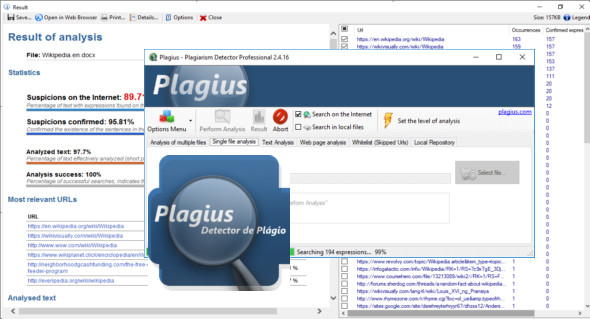
When you regularly have to evaluate numerous documents, you can find it difficult to identify those that are not authentic. A tool like Plagius Professional can be helpful, as it analyzes your files and alerts you if plagiarism is detected.
Features:
– Search for suspected plagiarism in text documents and academic papers
– Scans files in Word (doc and docx), PDF, OpenOffice, HTML, RTF, plain text… format
– Performs searches on various internet search engines (updated automatically)
– Build a detailed report with dynamic information on the analysis
– Advanced algorithm that eliminates insignificant occurrences
– Allows you to define the depth and speed of the analysis
– Exports the analysis results to an HTML file
– Validation of suspicious addresses
– Analysis of web pages via their URL
– Allows comparison with local files
– Batch file analysis
Configuration:
– Windows (x32/x64 Bits): 7, 8, 8.1, 10
– Processor: 1 GHz
– RAM: 1 GB
– Disk space: 50 MB
Language Multilingual (French not included)
Size : 28.6 MB
This article was updated on March 25, 2018