RogueKiller is an advanced security application designed to scan sensitive areas of the computer to identify and remove malicious agents, including OS memory. It focuses on processes, Windows, services, rootkits, the Windows Task Scheduler, the MBR, and web browsers.
Thanks to its intuitive interface and options, RogueKiller is easy for users to use if they want to quickly detect system vulnerabilities and eliminate viruses, Trojans, and other forms of malware that have infiltrated their machines. RogueKiller allows you to exclude areas from the scan, including the load kernel driver, and to classify PUPs and PUMs as malware. This configuration can be reset to the default settings.
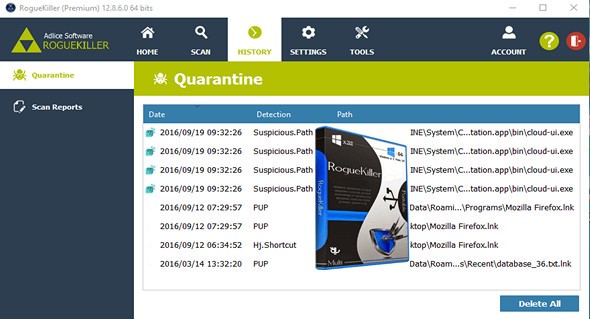
During the scanning process, you can view various statistics, such as the overall process, the group, the item and transfer, the elapsed time, the number of items detected, and the last detection time. More details about the identified items can be inspected in a separate window. These items can be sent to quarantine, where you can then review them and decide whether to keep or permanently delete the corresponding files.
The software supports multiple UI languages and can be configured to perform automatic updates. It allows offline registry scanning, uploading items to VirusTotal for analysis using multiple antivirus engines, and enabling automatic scans at startup and deletion afterward.
Configuration:
– Windows (x32/x64 Bits): XP, Vista, 7, 8, 8.1, 10
– Processor: 1 GHz
– RAM: 512 MB
– Disk space: 20 MB
Portable version:
Launch the file RogueKiller.exe Or RogueKiller64.exe (depending on your system)
Language : French
Size : 18.8 MB
This article was updated on August 18, 2020