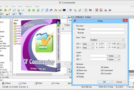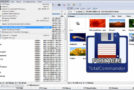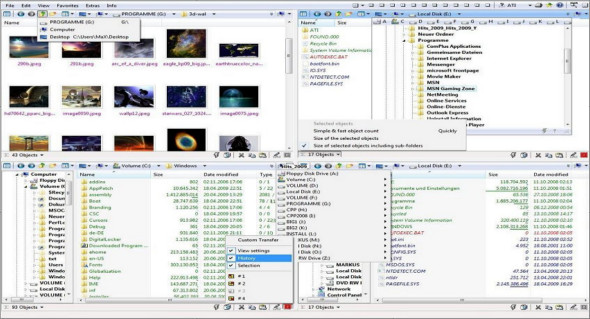
Q-Dir is a great file manager with amazing Quadro-View technology. Q-Dir (Quad Explorer) makes managing your data easy, providing quick and easy access to your hard drives, network folders, USB drives, floppy disks, and other storage devices.
This utility is a file manager with a four-pane interface and offers useful additional features to enhance your experience, allowing you to manage your files more quickly by reducing mouse clicks and hand movements. It can be easily used without installation and can be copied to a mini USB drive or other storage device.
Features of Q Dir:
– Favorites: quick access to the most frequently used folders.
– Drag and drop: move files by dragging them into Q-views and other programs such as MS Explorer.
– Clipboard: copy/paste between views of the Q-Dir directory and other programs such as MS Explorer.
– Folder type: folders, shortcuts… ZIP, FTP, cabinet, network, system…
– Views: large icons, mosaics, list, details, thumbnails (Vista: very large symbols).
– Export: to XLS, CSV, TXT, HTML.
– Context menus: Desktop, My Computer.
– Screen magnifier: everything on the screen can be magnified.
– Color filter: different colors for different types of elements (e.g. *.log; *.txt).
– Highlight filter: an effective way to quickly highlight elements.
– File filter: Allows for quick and easy filtering of items.
– Columns: all columns support and save the function.
– Quick links: For quick access to files.
– Folder selection: quick and flexible selection of folders via address bar/desktop menu/computer menu/…
– Multi-ini: multiple INI files for Q-Dir.
– Tree structure: simple and quadruple.
– Preview: allows for a quick overview.
– Q-Dir Portable.
Configuration :
– Windows (x32/x64 Bits): XP, Vista, 7, 8, 8.1, 10
– Processor: 1 GHz
– RAM: 1 GB
Language : Multilingual (French included)
Size : 6.8 MB
This article was updated on January 13, 2019